Menu
Back to Products
Aikon EA MT5 v8.25 – AI Forex Trading Robot for Automated Trading
Featured Bestseller Expert Advisors

Aikon EA MT5 v8.25 – AI Forex Trading Robot for Automated Trading

0.0 (0 reviews)
$320.00

$16.99

94.69% OFF

☑️ Aikon EA MT5 v8.25 is an AI-powered Expert Advisor designed for MetaTrader 5. It can analyze markets, automate trade execution and manage positions according to the trader's configured rules, risk controls and trading preferences. Aikon also introduces conversational control through Ask Aikon, allowing users to interact with the trading system using natural-language instructions. The system supports different approaches, including Forex Single Entry with Stop Loss, Gold Single Entry with Stop Loss, and optional Forex Recovery, while allowing traders to choose symbols and configure their own trading rules.

What is Aikon EA MT5 v8.25?

☑️ Aikon EA MT5 v8.25 is an AI-powered Expert Advisor designed for MetaTrader 5. It can analyze markets, automate trade execution and manage positions according to the trader's configured rules, risk controls and trading preferences. Aikon also introduces conversational control through Ask Aikon, allowing users to interact with the trading system using natural-language instructions.

The system supports different approaches, including Forex Single Entry with Stop Loss, Gold Single Entry with Stop Loss, and optional Forex Recovery, while allowing traders to choose symbols and configure their own trading rules.
Aikon EA MT5 v8.25 Features
AI-Powered Trading - Aikon can analyze markets and execute trades according to the rules and controls enabled by the user.
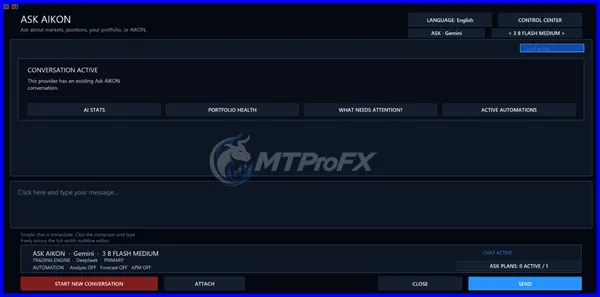
Ask Aikon - The Ask Aikon feature allows traders to communicate with their trading system using natural language. Users can ask about positions, settings, exposure and trading conditions and prepare configuration changes for confirmation.
Automated Trade Management - Once configured, Aikon can automatically open and manage positions while MetaTrader 5 remains running and connected.
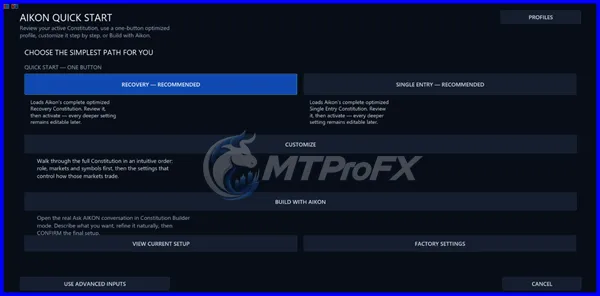
Forex and Gold Profiles - The system provides starting profiles for: Forex Single Entry with Stop Loss, Gold Single Entry with Stop Loss, Optional Forex Recovery
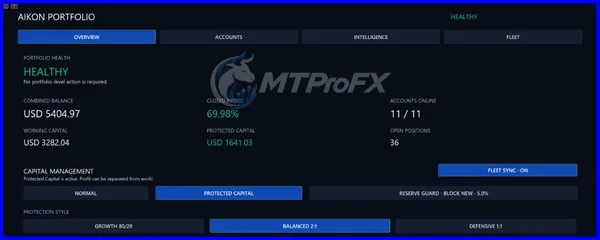
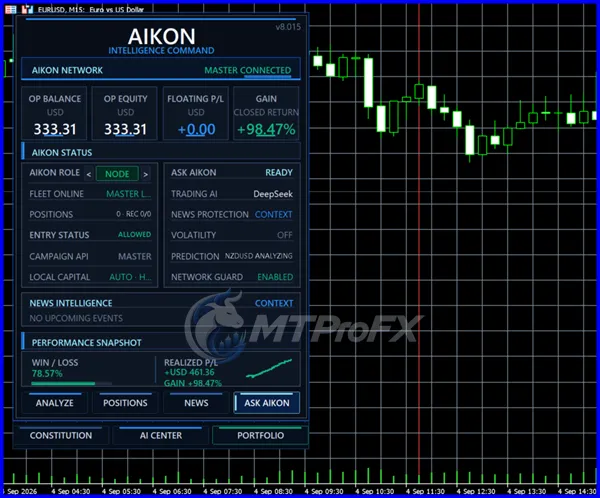
Risk and Capital Controls - Aikon includes controls such as Operating Capital, Protected Reserve and Harvestable Profit, allowing users to define how much capital the system is authorized to use.
Telegram Control - The system can be paired with Telegram so users can communicate with Aikon from a phone, review account information and prepare certain actions for confirmation.
Trading Constitution - Aikon provides a Trading Constitution for maintaining continuing trading and protection rules.
Temporary Automations - Users can configure temporary monitoring or operational plans with conditions and expiry times.
Master / Node Architecture - Aikon can operate on an individual account or coordinate multiple connected accounts through its Master/Node architecture.
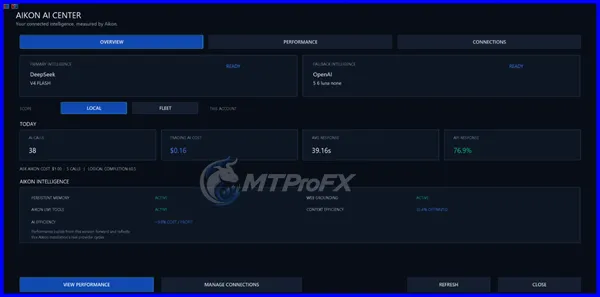
AI Economics - The system provides visibility into AI usage, including calls, response times, tokens and tracked API costs. External AI-provider charges are separate.
No DLL - Public listings for the v8.25 release identify it as No DLL, although users should always verify compatibility with their exact build and installation package.
Aikon EA MT5 v8.25 – Best Settings
There is no single universally “best” configuration for Aikon EA MT5 v8.25 because the system is designed to be configured according to the user's strategy, instruments and risk controls.

For a more controlled evaluation:

☑️ Start with a demo MT5 account.
☑️ Begin with one trading symbol rather than many simultaneously.
☑️ Use a clearly defined Stop Loss.
☑️ Keep position sizing conservative while testing.
☑️ Configure the Operating Capital according to the amount you are prepared to expose.
☑️ Use the Protected Reserve to separate capital that should not normally be allocated to new trading activity.
☑️ Test the chosen configuration across different market conditions.
☑️ Monitor spread, commission, swap and execution quality.
☑️ Keep MT5 connected continuously when automated trading is enabled.
☑️ Review the system's actual floating exposure rather than looking only at closed profit.

The official documentation specifically emphasizes that strategy settings, position sizing and exit settings determine the risk taken, and that Aikon does not guarantee profits.

Instructions for Installing Aikon EA MT5 v8.25

Step 01) Install MetaTrader 5 from your broker.
Step 02) Make sure the MT5 terminal is updated and connected to your trading account.
Step 03) Install the Aikon EA according to the supplied MT5 installation package.
Step 04) Open Navigator → Expert Advisors in MT5.
Step 05) Attach Aikon to the desired chart.
Step 06) Enable automated trading where required.
Step 07) Configure the selected trading profile and risk controls.
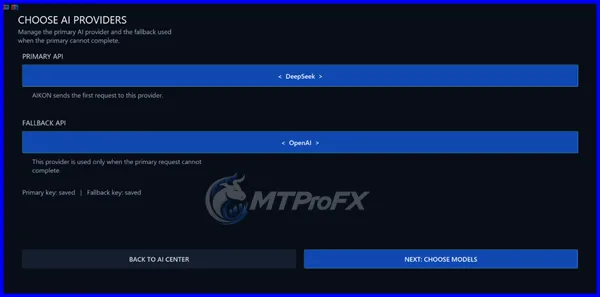
Step 08) Configure the required AI provider and API credentials if using AI functionality.
Step 09) Check the symbol and trading permissions.
Step 10) Review the proposed configuration before enabling live automated trading.
Step 11) Keep MetaTrader 5 running and connected while automated trading is active.

AI functionality requires internet access and a configured provider, while automated trading and connected features require MT5 to remain running and connected. External AI-provider charges may also apply.

Who Should Use Aikon EA MT5 v8.25?

Aikon EA MT5 v8.25 may be relevant to:

☑️ MT5 users interested in AI-assisted automated trading.
☑️ Traders who want configurable automated trading rather than a single fixed strategy.
☑️ Users interested in conversational control of their trading system.
☑️ Traders experimenting with Forex or Gold automated setups.
☑️ Users managing more than one MT5 account.
☑️ Traders interested in portfolio-level monitoring and capital controls.
☑️ Users comfortable testing an EA before considering live deployment.

It may be less suitable for someone looking only for a very simple EA with a small number of traditional input parameters, since Aikon includes AI-provider connections, conversational controls and broader account-management functionality.
Download Aikon EA MT5 v8.25
Pros and Cons
Pros
AI-assisted automated trading.
Natural-language interaction through Ask Aikon.
Supports Forex and Gold configurations.
Configurable risk and capital controls.
Telegram-based interaction.
Master/Node architecture for multiple accounts.
Trading Constitution for persistent rules.
Temporary automation and monitoring capabilities.
Designed for MetaTrader 5.
Cons
Requires MetaTrader 5 to remain running and connected for ongoing automated operation.
AI functionality requires an internet connection and compatible AI provider.
External AI-provider costs may apply.
Configuration can be more complex than a basic Expert Advisor.
Recovery functionality has account-type restrictions; for example, the official documentation states that Netting accounts cannot run Recovery.
Backtesting does not reproduce the complete connected AI workflow because the Strategy Tester does not execute the WebRequest connections used by certain live AI features.
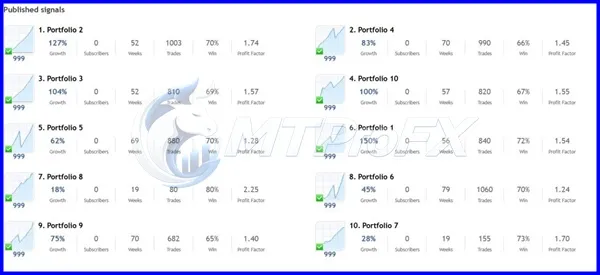
Backtest Results
Get Aikon EA MT5 v8.25 FREE (VIP Members Only)

Join a VIP Telegram group to get access. Pick your plan:

Conclusion

☑️ Aikon EA MT5 v8.25 represents an AI-oriented approach to MetaTrader 5 automation, combining automated execution with conversational configuration, risk controls and account monitoring.

Its distinguishing concept is that traders can interact with the system through Ask Aikon, rather than relying exclusively on conventional EA input parameters. The platform also provides Forex and Gold profiles, capital-management controls, Telegram connectivity and multi-account architecture.

For evaluation, users should test the EA on a demo account first and assess drawdown, exposure, execution costs and behavior across different market conditions.
What's Included
File Size 9.16 MB
File Type ZIP
Downloads 214

Login to add your review.

samuelpet5@gmail.com Sep 29, 2026

Interesting approach to MT5 automation. The conversational controls make the configuration process different from traditional Expert Advisors.

Aikon EA MT5 v8.25 is an AI-powered Expert Advisor for MetaTrader 5 that can analyze markets, execute trades and manage positions according to configured rules and risk controls.

Yes. Aikon is designed specifically as a MetaTrader 5 Expert Advisor.

Aikon does not appear to be limited to a fixed currency pair. Its documentation allows users to select symbols or use AIKON's symbol-selection functionality.

Yes. The official documentation includes a Gold Single Entry with Stop Loss starting profile.

Yes. AI is integrated into Aikon's conversational controls and certain market-analysis and automation functions.

Aikon provides Telegram integration that allows users to communicate with the system from their phone and prepare supported actions for confirmation.

No. The official documentation explicitly states that Aikon does not guarantee profit and that users remain responsible for their trading and capital decisions.

The mechanical behavior available through the MetaTrader Strategy Tester can be examined, but the official documentation notes that the tester does not reproduce the complete connected AI workflow.

The official documentation states that automated trading and ongoing connected features require MT5 to remain running and connected. A VPS can therefore be useful for maintaining continuous MT5 availability, but it is a hosting solution rather than a feature that makes the EA profitable.

The publicly listed product has since been updated to v8.26, with the MQL5 listing showing the update on September 22, 2026. Therefore, v8.25 should be treated as an earlier version rather than the current release.