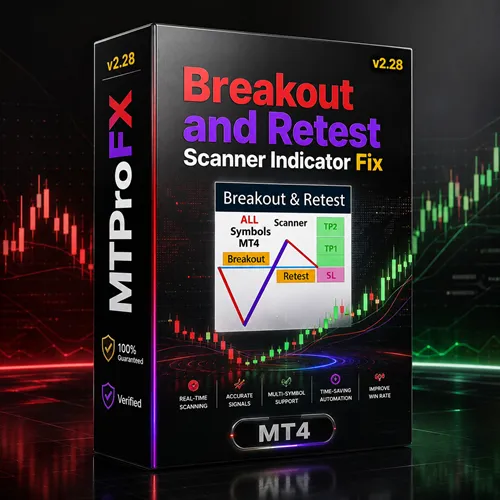
Breakout and Retest Scanner Indicator MT4 v2.28 – Forex Breakout & Retest Trading Tool
$11.99
97.15% OFFBreakout and Retest Scanner Indicator MT4 v2.28 is a MetaTrader 4 technical-analysis indicator designed to help Forex traders identify potential breakout and retest opportunities around important support and resistance levels. It can assist traders in scanning markets, spotting potential price breaks, and identifying possible retest zones for further analysis. The indicator is suitable for traders who use breakout trading, retest strategies, support and resistance, price action, scalping, and intraday Forex analysis. Important: The indicator provides analytical signals and does not guarantee profitable trades. Traders should confirm setups independently and always apply appropriate risk management.
What is Breakout and Retest Scanner Indicator MT4 v2.28?
The indicator is suitable for traders who use breakout trading, retest strategies, support and resistance, price action, scalping, and intraday Forex analysis.
Important: The indicator provides analytical signals and does not guarantee profitable trades. Traders should confirm setups independently and always apply appropriate risk management.
Recommended Trading Currency Pairs
✅ EUR/USD
A popular choice for technical traders because of its high liquidity and generally tight spreads. It can be suitable for monitoring structured breakout and retest formations.
✅ GBP/USD
GBP/USD can produce larger intraday movements, creating potential breakout opportunities. Traders should account for its higher volatility.
✅ USD/JPY
USD/JPY is widely traded and can provide clear reactions around important technical levels.
✅ AUD/USD
This pair can be useful for traders looking for trend continuation and range-breakout setups.
✅ USD/CAD
USD/CAD can provide technical opportunities around established support and resistance zones.
✅ USD/CHF
Its liquidity makes USD/CHF another potential pair for technical breakout analysis.
✅ EUR/JPY
EUR/JPY can offer stronger price movements and may be suitable for experienced traders comfortable with increased volatility.
✅ GBP/JPY
GBP/JPY is highly volatile and can generate significant breakouts, but it requires careful position sizing and risk management.
For beginners, starting with EUR/USD, GBP/USD, and USD/JPY may provide a simpler environment for learning how breakout and retest signals behave.
Breakout and Retest Scanner Indicator MT4 v2.28 Features
Breakout and Retest Scanner Indicator MT4 v2.28 – Best Settings
For scalping, traders may experiment with M5 or M15. These timeframes can produce more opportunities, but they can also generate increased market noise and false breakouts.
For intraday trading, M15, M30, or H1 can provide a useful balance between signal frequency and market structure.
For swing-style analysis, traders may consider H4 to focus on larger support and resistance zones and potentially stronger market structures.
A sensible starting approach is to use the indicator's default parameters and evaluate its behavior before making major changes.
Traders should consider the following when optimizing their settings:
✅ Use higher-quality support and resistance levels.
✅ Consider the overall market trend.
✅ Look for strong breakout momentum.
✅ Wait for meaningful retest confirmation.
✅ Avoid entering solely because an alert appears.
✅ Check spreads before short-term trades.
✅ Be cautious around major economic announcements.
✅ Use a logical stop-loss level.
✅ Keep risk consistent across trades.
✅ Forward-test optimized settings on a demo account.
Avoid excessive optimization based only on historical data. Over-optimized settings can perform well in past market conditions while behaving differently in live markets.
Instructions for Installing Breakout and Retest Scanner Indicator MT4 v2.28
Download Breakout and Retest Scanner Indicator MT4 v2.28 and extract the ZIP file if necessary.
✅ Step 2: Open MetaTrader 4
Launch your MetaTrader 4 trading platform.
✅ Step 3: Open the MT4 Data Folder
From the MT4 menu, select:
File → Open Data Folder
✅ Step 4: Locate the Indicators Folder
Navigate to:
MQL4 → Indicators
✅ Step 5: Copy the Indicator
Copy the supplied indicator file, typically an .ex4 or .mq4 file, into the Indicators folder.
✅ Step 6: Restart MT4
Close and reopen MetaTrader 4, or right-click the Navigator window and select Refresh.
✅ Step 7: Locate the Indicator
Open:
Navigator → Indicators
Find Breakout and Retest Scanner Indicator v2.28.
✅ Step 8: Attach It to a Chart
Drag the indicator onto your preferred Forex chart.
✅ Step 9: Configure the Parameters
Review the available input parameters and adjust them according to your preferred currency pair, timeframe, and trading strategy.
✅ Step 10: Test the Indicator
Use a demo account to verify the indicator's behavior and compatibility with your MT4 installation before using it with real money.
Who Should Use Breakout and Retest Scanner Indicator MT4 v2.28?
✅ Forex breakout traders.
✅ Retest strategy traders.
✅ Price-action traders.
✅ Support and resistance traders.
✅ Technical analysts.
✅ Scalpers.
✅ Intraday traders.
✅ Swing traders.
✅ Traders monitoring multiple currency pairs.
✅ Beginners learning breakout and retest concepts.
✅ Experienced traders looking for additional market-screening assistance.
It is particularly useful for traders who prefer to make decisions based on market structure and technical levels rather than relying entirely on fundamental analysis.
Download Breakout and Retest Scanner Indicator MT4 v2.28
Download Breakout and Retest Scanner Indicator MT4 v2.28Pros and Cons
Pros
Cons
Backtest Results


Final Verdict – Is Breakout and Retest Scanner Indicator MT4 v2.28 Worth It?
Its main purpose is to make the process of finding potential breakout-and-retest opportunities more efficient. Instead of relying entirely on manual chart scanning, traders can use the indicator to identify areas that deserve further analysis.
For better results, use the scanner alongside market structure, trend analysis, price-action confirmation, economic-news awareness, and disciplined risk management.
The indicator should be viewed as a decision-support tool rather than a guaranteed signal generator. Always test it on a demo account and never risk more than you can afford to lose.
What's Included
Login to add your review.
Helpful scanner for traders who understand breakout trading. I always confirm the setup before entering, but it has made my chart analysis more efficient.