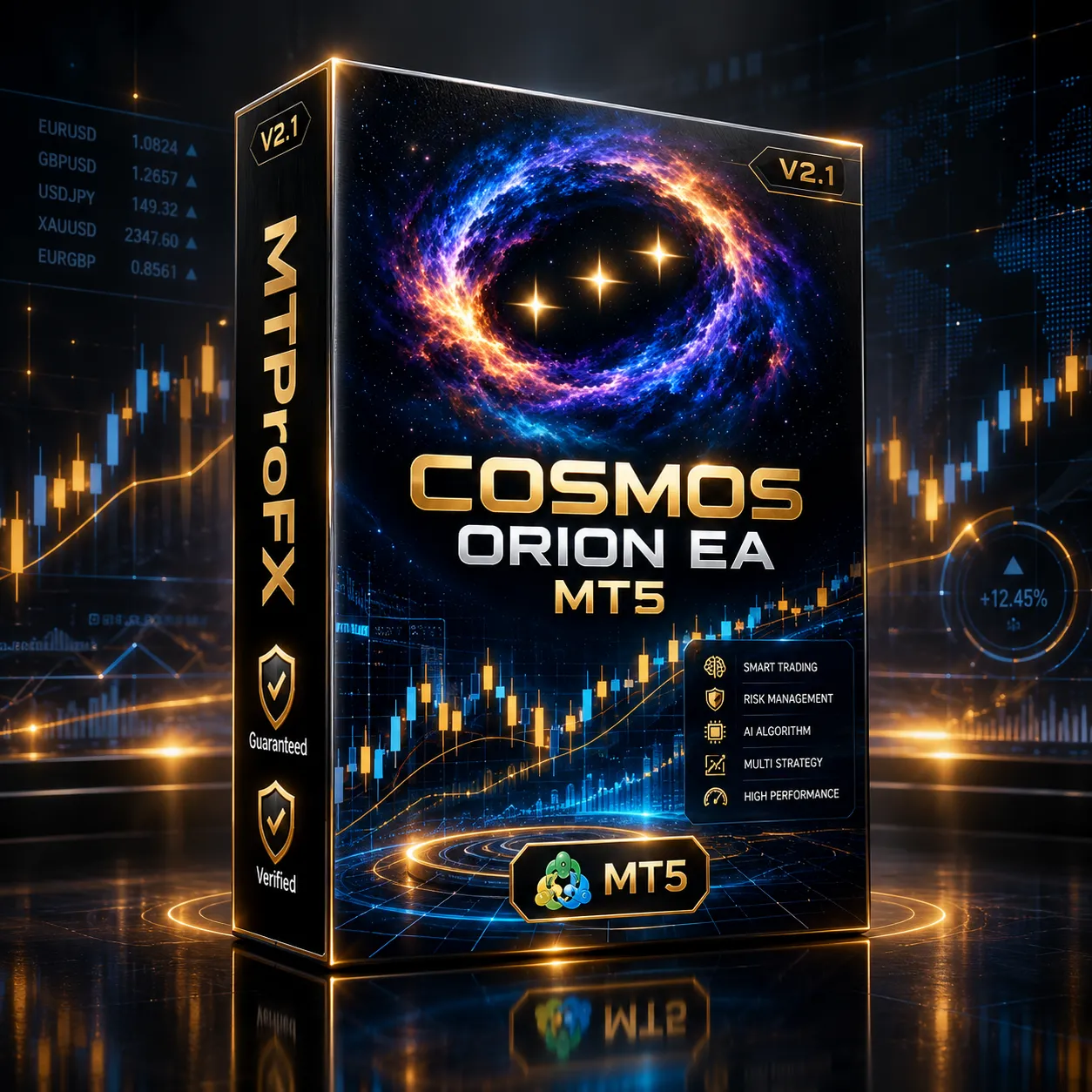
Cosmos Orion EA MT5 V2.1 – Smart Gold Trading Automation for MT5
$16.99
90.46% OFF☑️ Cosmos Orion EA MT5 V2.1 is a MetaTrader 5 Expert Advisor (EA) designed to automate forex trading according to its programmed trading rules. It aims to reduce manual trade execution by monitoring market conditions and managing trading operations based on its configured parameters. Before using this EA on a live account, traders should verify its supported currency pairs, recommended timeframe, entry strategy, risk controls, and compatibility with their broker. Backtesting and demo-account testing are essential for understanding its behavior under different market conditions.
What is Cosmos Orion EA MT5 V2.1?
Before using this EA on a live account, traders should verify its supported currency pairs, recommended timeframe, entry strategy, risk controls, and compatibility with their broker. Backtesting and demo-account testing are essential for understanding its behavior under different market conditions.
Recommended Trading Currency Pairs
☑️ EUR/USD: A major forex pair worth evaluating because of its typically high liquidity.
☑️ GBP/USD: May offer larger price movements, potentially increasing both trading opportunities and risk.
☑️ USD/JPY: A liquid major pair whose behavior can vary with interest-rate expectations and economic news.
☑️ AUD/USD: May be suitable for testing strategies that respond to changes in commodity markets and economic sentiment.
☑️ USD/CAD: Can experience volatility around Canadian economic releases and oil-market developments.
Important: Start with one currency pair on a demo account. Confirm the EA's documentation before enabling additional pairs, especially if it uses grid, martingale, or multiple-position strategies.
Cosmos Orion EA MT5 V2.1 Features
Cosmos Orion EA MT5 V2.1 – Best Settings
☑️ Trading symbol: XAUUSD or GOLD, including supported broker suffixes.
☑️ Signal timeframe: H2 (2-hour). The documented strategy calculates its signals using H2 data even if the EA is attached to a different chart timeframe.
☑️ Risk level: Start with the lowest available risk setting, such as L1 at 1% per trade, if supported by your installed version.
☑️ Account type: Use a hedging account. The available documentation states that netting accounts are not supported.
☑️ Position sizing: Choose a conservative risk-based setting or a small fixed lot. Confirm the actual monetary risk before trading live.
☑️ Spread filter: Keep the filter enabled and verify that its threshold matches your broker's gold quote format.
☑️ Stop loss and take profit: Keep the EA's protective order management enabled.
☑️ Trading filters: Retain the available spread, volatility, margin, and session protections during initial testing.
☑️ Hosting: Consider a stable VPS if you need the EA to operate when your personal computer is switched off.
These settings reflect the published product guidance; confirm the exact parameter names and available presets in your copy.
Instructions for Installing Cosmos Orion EA MT5 V2.1
Step 1. Download and extract the files. Obtain the EA from your authorized source and extract the ZIP archive if necessary. Locate the .ex5 EA file and any supplied .set presets.
Step 2. Open MetaTrader 5. Launch MT5 on your computer and sign in to the appropriate trading account.
Step 3. Open the data folder. Select File → Open Data Folder in the MT5 terminal.
Step 4. Copy the EA file. Open MQL5 → Experts and place the EA's .ex5 file inside that folder.
Step 5. Restart or refresh MT5. In the Navigator panel, refresh the Expert Advisors list or restart the terminal so the EA appears.
Step 6. Open the gold chart. Select your broker's XAUUSD or GOLD symbol and confirm that the symbol matches the EA's requirements.
Step 7. Attach the EA. Drag Cosmos Orion EA onto the chart, review its inputs, and enable algorithmic trading as required by MT5.
Step 8. Configure risk and presets. Load the appropriate supplied .set file if available. Check the risk mode, symbol, account type, spread limit, and broker-time settings.
Step 9. Test before going live. Run a Strategy Tester backtest and then a demo-forward test. Check the Experts and Journal tabs for errors and confirm that orders, stop losses, and position sizing behave as expected.
Who Should Use Cosmos Orion EA MT5 V2.1?
☑️ Gold traders: Those specifically interested in automated XAUUSD breakout strategies.
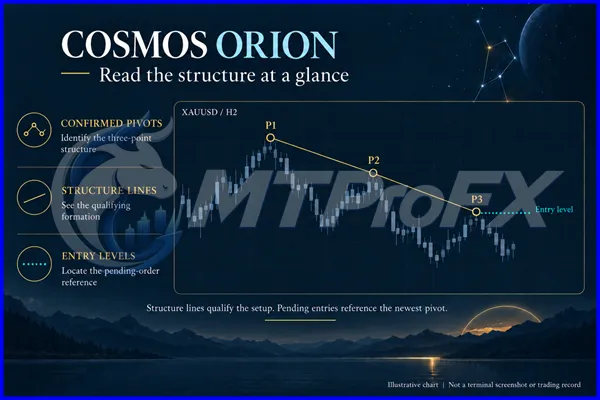
☑️ Price-action traders: Those who prefer confirmed swing structures and breakout entries rather than discretionary signal interpretation.
☑️ Rule-based trading enthusiasts: Users who want automated pending orders and predefined trade management.
☑️ MT5 users with compatible accounts: Traders who can provide the required hedging account and appropriate broker conditions.
☑️ Traders who test systematically: Users willing to backtest, monitor drawdown, and refine settings cautiously on demo accounts.
It may be unsuitable for traders who require a multi-currency EA, use a netting-only account, expect frequent trades in every market session, or want guaranteed returns.
Download Cosmos Orion EA MT5 V2.1
Download Cosmos Orion EA MT5 V2.1Pros and Cons
Pros
Cons
Backtest Results
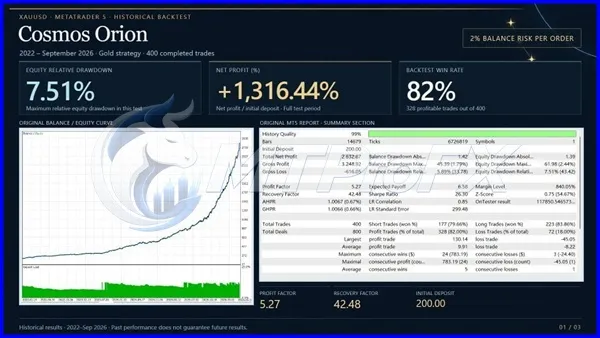
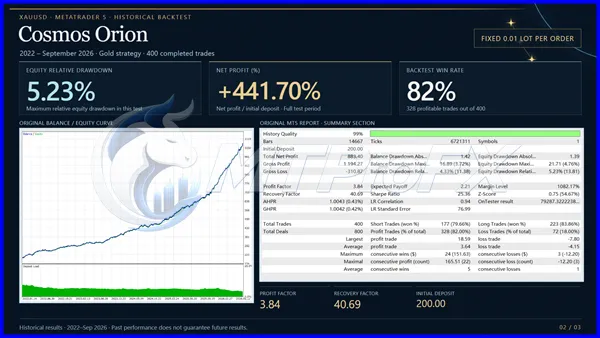
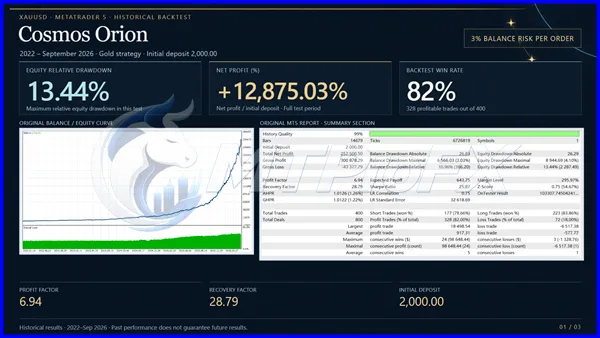
Get Cosmos Orion EA MT5 V2.1 FREE (VIP Members Only)
Join a VIP Telegram group to get access. Pick your plan:
Conclusion
Its focus on structured entries and its stated avoidance of grid and martingale methods may appeal to traders seeking a rules-based approach to gold trading. Nevertheless, false breakouts, slippage, drawdown, and broker-specific conditions remain important risks.
For the most responsible approach, confirm account compatibility, start with conservative risk settings, test the EA using realistic trading costs, and evaluate its performance on a demo account before considering live trading.
What's Included
Login to add your review.
This EA's gold-focused strategy may appeal to traders who want a rule-based approach. I would assess its results over a longer demo period before using real money.