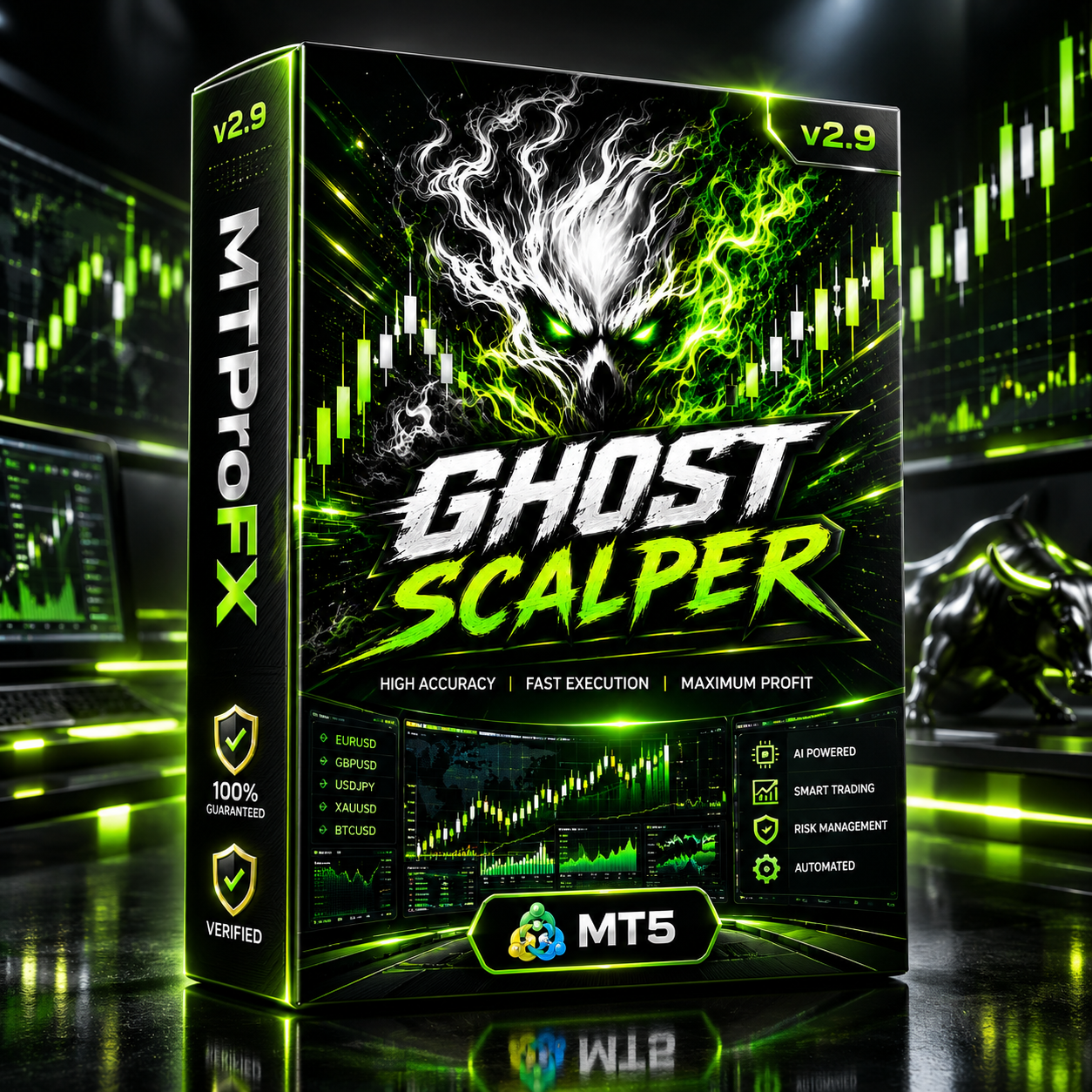
Ghost Scalper EA v2.9 MT5 – Smart XAUUSD Gold Scalping Expert Advisor Pro
$16.99
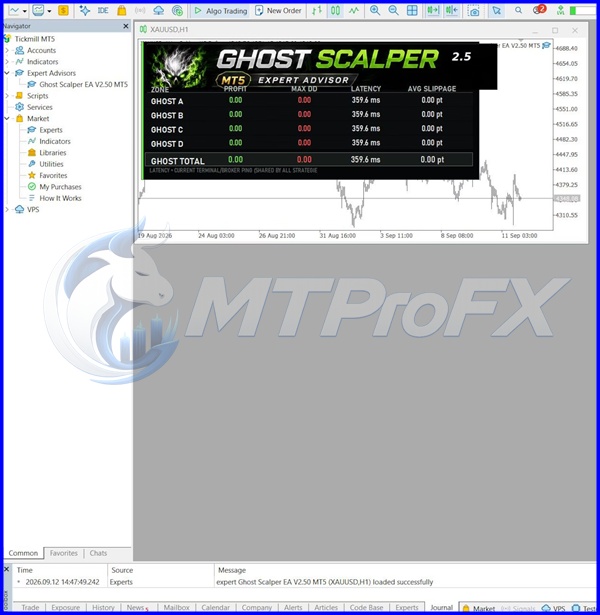
93.28% OFF☑️ Ghost Scalper EA v2.9 MT5 is an automated MetaTrader 5 trading robot designed primarily for XAUUSD (Gold). The system uses multiple independent Ghost strategies to identify selective breakout and momentum opportunities rather than continuously opening trades. Public specifications describe four components — Ghost A, Ghost B, Ghost C, and Ghost D — with independent trading and money-management controls. The EA is intended for traders who want automated gold trading while retaining control over lot sizing, risk parameters, strategy activation, and trade management.
What is Ghost Scalper EA v2.9 MT5?
The EA is intended for traders who want automated gold trading while retaining control over lot sizing, risk parameters, strategy activation, and trade management.
Recommended Trading Currency Pairs
XAUUSD is the primary recommended instrument for Ghost Scalper MT5. The published product documentation specifically identifies Gold/XAUUSD as the intended trading market.
For a standard starting configuration:
☑️ Symbol: XAUUSD
☑️ Timeframe: H1
☑️ Trading Mode: Automated
☑️ Platform: MetaTrader 5
☑️ Recommended environment: Low-spread broker with reliable execution
☑️ VPS: Recommended for continuous automated operation
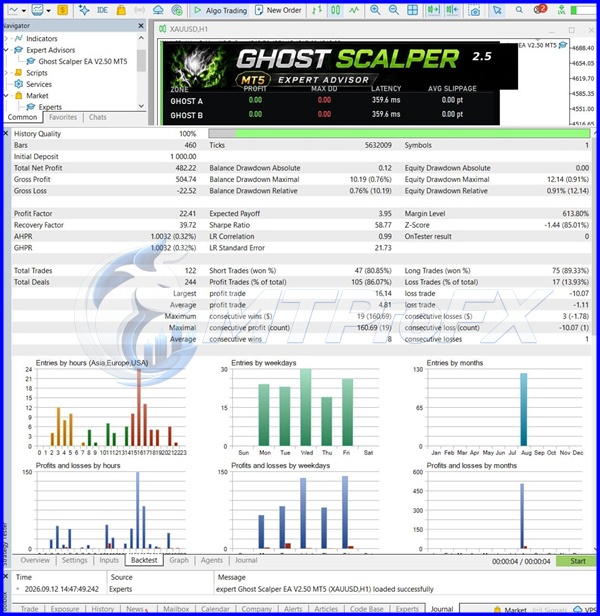
Although some third-party tests may use different timeframes, the documented recommended setup is XAUUSD on H1.
It is preferable to test the EA on its intended symbol rather than assuming that the same parameters will perform similarly on EURUSD, GBPUSD, USDJPY, or other forex pairs.
Ghost Scalper EA v2.9 MT5 Features
Ghost Scalper EA v2.9 MT5 – Best Settings
Recommended starting setup:
☑️ Symbol: XAUUSD
☑️ Timeframe: H1
☑️ Algo Trading: ON
☑️ Lot mode: Fixed Lot
☑️ Starting lot: 0.01, where supported by the broker/account
☑️ Risk percentage: Keep conservative during initial testing
☑️ Strategies: Start with the supplied/default configuration
☑️ News filter: ON where supported and correctly configured
☑️ VPS: Recommended
☑️ Dashboard: SMALL or OFF if VPS resources are limited
A publicly documented Ghost configuration uses 0.01 fixed lot and 0.25% alternative risk settings for each Ghost A–D module, but these values should be treated as reference settings rather than guaranteed optimal settings for every account.
Avoid increasing lot size simply because a backtest looks profitable. Gold volatility, spread, slippage, leverage, broker execution and account size can materially affect live results.
Instructions for Installing Ghost Scalper EA v2.9 MT5
Download and install MetaTrader 5 from your broker or the official MetaTrader platform provider.
☑️ Step 2: Locate the EA Folder
Inside MT5, select:
File → Open Data Folder → MQL5 → Experts
Copy the Ghost Scalper EA file into the Experts folder.
☑️ Step 3: Restart or Refresh MT5
Restart MetaTrader 5 or refresh the Expert Advisors section in the Navigator panel.
☑️ Step 4: Open XAUUSD
Open an XAUUSD/Gold chart and select the H1 timeframe, which is the published recommended setup.
☑️ Step 5: Attach the EA
Drag Ghost Scalper EA onto the XAUUSD chart.
☑️ Step 6: Configure Inputs
Review:
Strategy selection
Lot/risk mode
Lot size
Risk percentage
Trading permissions
News filter
Dashboard
Other available EA parameters
Step 7: Enable Algo Trading
Make sure the Algo Trading/AutoTrading button is enabled.
☑️ Step 8: Configure WebRequest if Required
If the installed version uses an external news filter, MetaTrader 5 may require the relevant WebRequest permission under:
Tools → Options → Expert Advisors → Allow WebRequest
The exact URL should be taken from the EA's current documentation/settings rather than copied from an unrelated version.
☑️ Step 9: Test on Demo
Run the EA on a demo account first. Confirm that trades, lot sizing, stop-loss behavior, news filtering and execution work correctly with your broker.
Who Should Use Ghost Scalper EA v2.9 MT5?
☑️ Forex and gold traders interested in automated trading
☑️ MT5 users focusing on XAUUSD
☑️ Traders who prefer selective rather than continuous entries
☑️ Traders who want multiple trading strategies within one EA
☑️ Users who want configurable money management
☑️ Traders comfortable monitoring automated systems
☑️ Users with access to a stable VPS
It may be less suitable for traders who expect the EA to trade continuously, want a multi-pair forex robot, or are unwilling to monitor automated trading risk.
Download Ghost Scalper EA v2.9 MT5
Download Ghost Scalper EA v2.9 MT5Pros and Cons
Pros
Cons
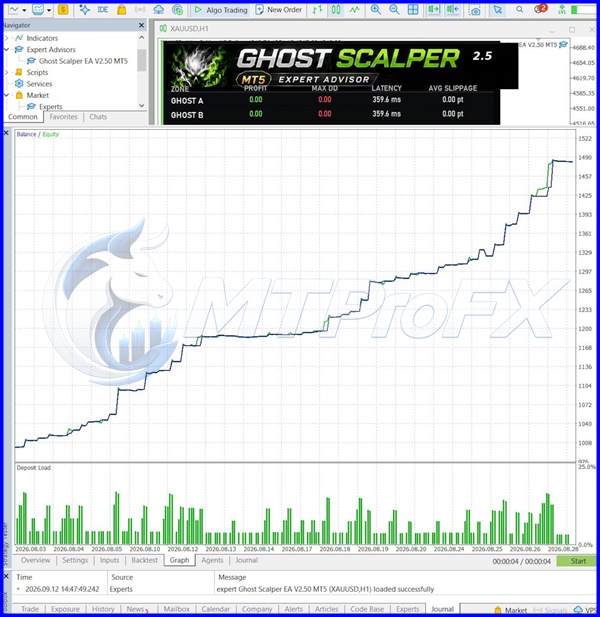
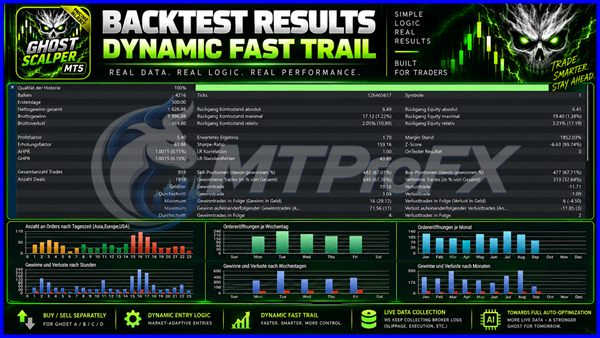
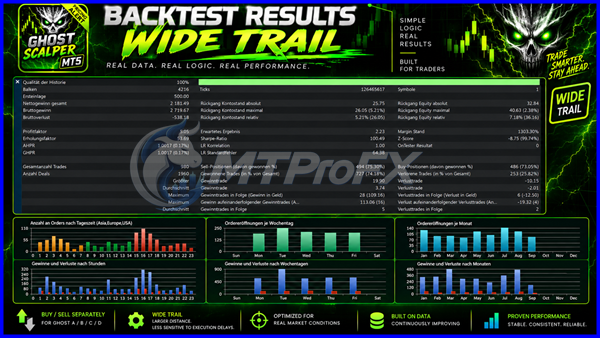
Backtest Results
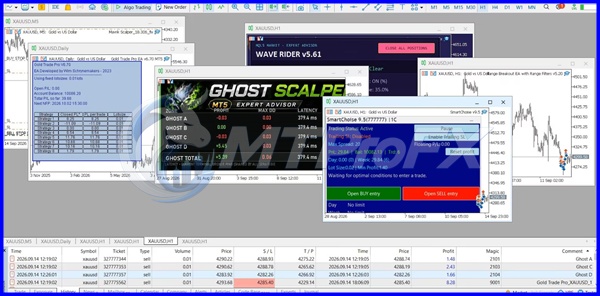
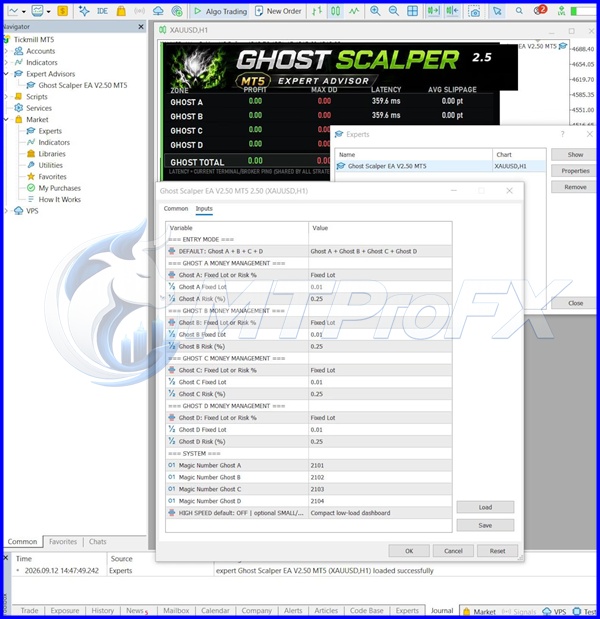
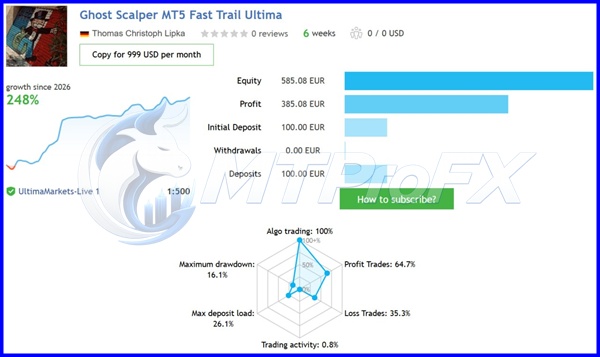
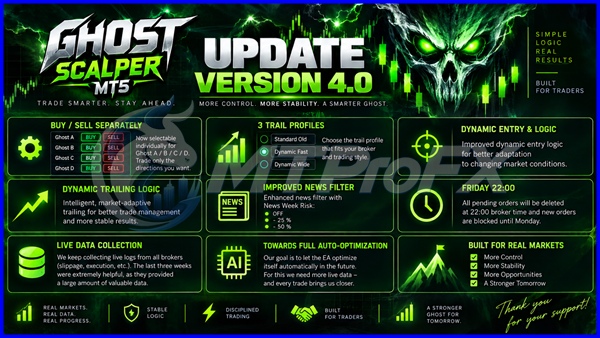
Conclusion
With features such as adjustable lot sizing, news filtering, trade management, and execution monitoring, Ghost Scalper EA provides flexibility for different trading configurations. However, gold market volatility, broker execution, spread, and risk settings can significantly affect live trading results.
For the best starting point, traders should test the EA on XAUUSD using the H1 timeframe, apply conservative risk management, and evaluate its performance through demo testing before considering live deployment. Ghost Scalper EA is a trading automation tool, not a guarantee of consistent profits, so proper testing and responsible risk management remain essential.
Explore Ghost Scalper EA v2.9 MT5 and discover a structured approach to automated Gold trading with MetaTrader 5.
What's Included
Login to add your review.
Ghost Scalper has a clean automated approach and I particularly like the ability to control the individual strategies. The XAUUSD setup is straightforward to configure.