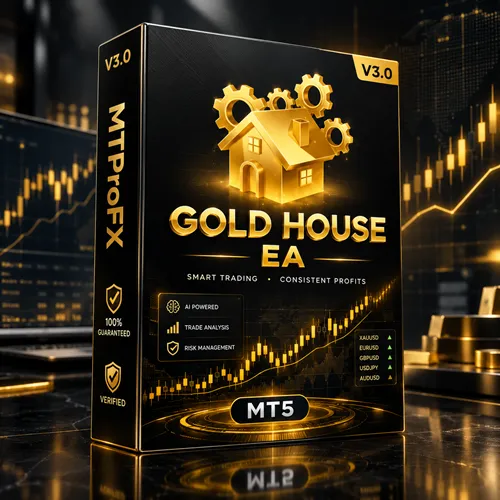
Gold House EA MT5 V3.0 – Advanced Gold Trading Expert Advisor for MetaTrader 5
$16.99
93.2% OFFGold House EA MT5 V3.0 is a MetaTrader 5 Expert Advisor designed for automated trading, with a primary focus on gold and other suitable forex instruments. The EA can help traders automate market analysis and trade execution according to its programmed strategy, reducing the need to manually monitor charts throughout the trading session. As with any automated trading system, results can vary depending on the broker, spread, market conditions, account type, and configuration. Traders should test the EA on a demo account before considering live deployment.
What is Gold House EA MT5 V3.0?
The EA is particularly relevant to traders interested in gold trading, especially XAUUSD. Automated systems can monitor price movements continuously and execute trades according to predefined rules, which can be useful when markets move quickly.
Gold House EA MT5 V3.0 should be treated as a trading automation tool rather than a guarantee of profitable results. Proper risk management, testing, and suitable configuration remain important.
Recommended Trading Currency Pairs
☑️ XAUUSD – Gold / US Dollar
☑️ EURUSD
☑️ GBPUSD
☑️ USDJPY
☑️ Other broker-supported instruments, only after appropriate testing
Because EA behavior can differ substantially between instruments, traders should not assume that settings optimized for XAUUSD will work equally well on currency pairs.
For gold-focused trading, XAUUSD is generally the most logical instrument to evaluate first. Always check the EA's supplied documentation or set files for officially recommended symbols.
Gold House EA MT5 V3.0 Features
Gold House EA MT5 V3.0 – Best Settings
For initial testing, traders should consider using the official set file supplied with the EA, if one is available. Start with conservative risk parameters and avoid immediately increasing lot sizes.
For XAUUSD testing, consider:
☑️ Use a suitable XAUUSD symbol provided by your broker.
☑️ Start with a low-risk configuration.
☑️ Use the recommended timeframe from the EA documentation or supplied set file.
☑️ Keep spread conditions in mind.
☑️ Avoid changing multiple parameters simultaneously.
☑️ Test the configuration on a demo account first.
☑️ Monitor drawdown as well as winning trades.
☑️ Use a VPS if continuous operation is required.
☑️ Re-evaluate settings when market conditions change.
The best configuration should be determined through proper backtesting and forward testing rather than relying on a single preset.
Instructions for Installing Gold House EA MT5 V3.0
Obtain the Gold House EA MT5 V3.0 files and any accompanying set files or instructions.
☑️ Step 2: Open MetaTrader 5
Launch your MetaTrader 5 trading platform.
☑️ Step 3: Open the Data Folder
From the MT5 menu, select File → Open Data Folder.
☑️ Step 4: Locate the Experts Folder
Navigate to:
MQL5 → Experts
Copy the Gold House EA file into the Experts folder.
☑️ Step 5: Restart MetaTrader 5
Close and reopen MT5, or refresh the Expert Advisors section in the Navigator window.
☑️ Step 6: Enable Algo Trading
Make sure Algo Trading is enabled in MetaTrader 5.
☑️ 7: Attach the EA
Open the desired chart, such as XAUUSD, and drag Gold House EA onto the chart.
☑️ Step 8: Configure the Parameters
Set the appropriate trading parameters according to the supplied instructions or set file.
☑️ Step 9: Test Before Live Trading
Run the EA on a demo account and monitor its behavior before considering a live account.
Who Should Use Gold House EA MT5 V3.0?
☑️ Forex traders interested in automated trading
☑️ MT5 users who want to automate trade execution
☑️ Traders interested in automated gold/XAUUSD strategies
☑️ Beginners who want to learn how Expert Advisors operate
☑️ Experienced traders looking to test automated strategies
☑️ Traders who prefer systematic rather than emotional execution
It may not be suitable for traders expecting guaranteed profits or completely risk-free automated trading.
Download Gold House EA MT5 V3.0
Download Gold House EA MT5 V3.0Pros and Cons
Pros
Cons
Backtest Results


Get Gold House EA MT5 V3.0 FREE (VIP Members Only)
Join a VIP Telegram group to get access. Pick your plan:
Final Verdict – Is Gold House EA MT5 V3.0 Worth It?
The most important step is not simply installing the EA but finding a configuration that matches the trading account, broker conditions, risk tolerance, and market environment. Demo testing, sensible position sizing, drawdown monitoring, and proper risk management should remain essential parts of the evaluation process.
For traders looking for an MT5-based automated gold trading tool, Gold House EA MT5 V3.0 can be added to a testing workflow and evaluated under realistic market conditions before any live deployment.
What's Included
Login to add your review.
The MT5 installation was straightforward, and I like having an automated system available for testing on gold. I recommend starting carefully with the settings.