Back to Products
 0.0 (0 reviews)
Featured
Bestseller
Expert Advisors
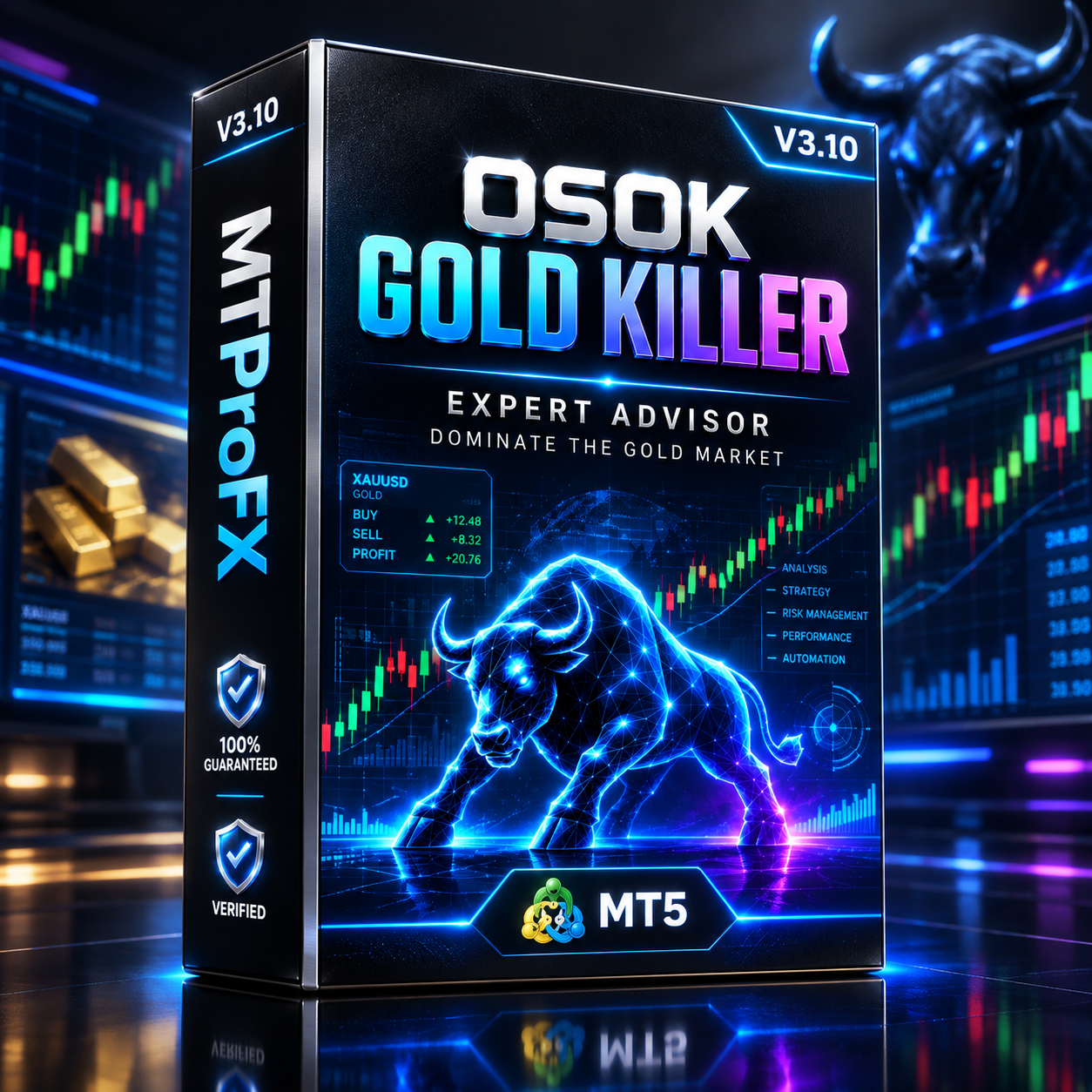
OSOK Gold Killer EA MT5 v3.10 Review – Smart Automated Gold Trading
$230.00
$16.99
92.61% OFF☑️ OSOK Gold Killer EA MT5 v3.10 is an automated trading tool for the MetaTrader 5 platform, with a product name suggesting a focus on gold trading. Review its supported instruments, strategy, risk controls, and verified performance before using it on a demo or live account.t
What is OSOK Gold Killer EA MT5 v3.10?
☑️ OSOK Gold Killer EA MT5 v3.10 is a MetaTrader 5 (MT5) Expert Advisor (EA) designed for automated forex trading, with a name that suggests a focus on gold markets. Expert Advisors execute trading instructions automatically according to their programmed strategies and configured parameters.
The EA may appeal to traders looking to automate parts of their trading workflow, reduce manual order entry, and monitor market opportunities through the MT5 platform. However, its exact strategy, entry rules, risk controls, supported instruments, and performance characteristics should be verified against the developer's documentation and independent testing before live deployment.
Automated trading does not guarantee profits. Results depend on market conditions, broker execution, spreads, slippage, and the EA's underlying logic.
Recommended Trading Currency Pairs
The following instruments are worth investigating, but confirm that they are supported by the specific OSOK Gold Killer EA MT5 v3.10 build before trading.
☑️ XAUUSD (Gold vs US Dollar): The primary instrument to investigate based on the EA's product name. Gold can experience sharp price movements and sudden volatility.
☑️ XAGUSD (Silver vs US Dollar): An alternative precious-metal market to consider only if the EA supports silver.
☑️ EURUSD (Euro vs US Dollar): A highly traded major forex pair that may be suitable for testing if supported.
☑️ GBPUSD (British Pound vs US Dollar): Another major pair that can experience substantial price fluctuations.
☑️ USDJPY (US Dollar vs Japanese Yen): A major currency pair worth considering for compatibility testing.
Important: These are potential instruments to evaluate, not verified compatible pairs. Start by checking the official product documentation and testing the EA on its intended symbol.
OSOK Gold Killer EA MT5 v3.10 Features
Automated trade execution: An EA can place and manage trades according to its programmed conditions.
Gold-market trading focus: The product name suggests a possible emphasis on gold trading, particularly XAUUSD.
MetaTrader 5 compatibility: The product is identified as an MT5 Expert Advisor.
Configurable parameters: Check whether the EA provides adjustable lot sizes, stop-loss settings, trading hours, or other inputs.
Risk-management options: Verify whether protective features such as stop-loss orders, maximum drawdown limits, and position-size controls are available.
Reduced manual monitoring: Automation may reduce the need to enter every trade manually, although monitoring remains necessary.
Strategy testing: MT5's Strategy Tester can help evaluate historical performance before the EA is used on a live account.
OSOK Gold Killer EA MT5 v3.10 – Best Settings
There is no universally best configuration for every account. The appropriate settings depend on the EA's actual trading logic, account balance, broker conditions, and risk tolerance.
Recommended Starting Configuration
☑️ Trading platform: MetaTrader 5.
☑️ Trading symbol: XAUUSD only if confirmed as the intended and supported instrument.
☑️ Chart timeframe: Use the timeframe specified in the developer's documentation. Do not assume M1, M5, or M15 is optimal without testing.
☑️ Lot size: Start with the smallest practical position size supported by your broker and EA.
☑️ Risk per trade: Consider a conservative risk budget, such as 0.5%–1% of account equity, only if the EA's position sizing and stop-loss behavior make this measurable.
☑️ Stop-loss and take-profit: Use verified EA parameters or documented protective settings. Do not disable protective controls simply to increase trade frequency.
☑️ Maximum drawdown: Establish a personal loss limit and stop testing if it is exceeded.
☑️ Trading hours: Test the developer's recommended sessions while accounting for spreads, news releases, and gold-market volatility.
☑️ Leverage: Use leverage cautiously; higher leverage magnifies both gains and losses.
Demo Testing Recommendations
Run the EA on a demo account first. Evaluate its behavior across different market conditions, including trending markets, sideways movement, and periods of high volatility. Review drawdown, trade frequency, average win and loss, spread sensitivity, and performance after trading costs.
Avoid increasing lot sizes based only on a short winning streak.
Instructions for Installing OSOK Gold Killer EA MT5 v3.10
Follow these steps to install OSOK Gold Killer EA MT5 v3.10, assuming you have a compatible EA file.
Step 01) Download the EA: Obtain the correct MT5-compatible file from your authorized product source. Verify that the version is v3.10.
Step 02) Open MetaTrader 5: Launch the MT5 desktop application.
Step 03) Open the data folder: Select File → Open Data Folder.
Step 04) Locate the Experts directory: Open MQL5 → Experts.
Step 05) Copy the EA file: Place the supplied .ex5 file in the Experts folder. If the developer provides source code, it may instead be an .mq5 file that requires compilation.
Step 06) Refresh the platform: In the Navigator panel, right-click Expert Advisors and select Refresh, or restart MT5.
Step 07) Attach the EA: Open the supported trading instrument's chart and drag the EA onto it.
Step 08) Configure the inputs: Apply the documented settings and enable algorithmic trading if required.
Step 09) Verify operation: Check the Experts and Journal tabs for initialization errors, permissions issues, or other warnings.
Step10) Test before live trading: Run a Strategy Tester evaluation where supported, then use a demo account to assess real-time behavior.
Note: Menu labels can vary slightly between MT5 versions. Never enable live trading until you understand the EA's risk controls and have confirmed it is functioning as intended.
Who Should Use OSOK Gold Killer EA MT5 v3.10?
This EA may be worth investigating for:
☑️ MT5 traders: Users who already use MetaTrader 5 and understand Expert Advisors.
☑️ Gold traders: Traders interested in evaluating automated strategies for XAUUSD, if that instrument is supported.
☑️ Automation enthusiasts: Users who want to test algorithmic execution rather than manually place every order.
☑️ Strategy testers: Traders who can analyze historical results, demo performance, drawdown, and trading costs.
☑️ Experienced risk managers: Users who understand leverage, position sizing, broker execution, and the possibility of losing capital.
Who Should Avoid It?
☑️ Beginners expecting guaranteed profits, traders who cannot tolerate substantial drawdowns, and users unwilling to test automated strategies should avoid deploying it on a live account without further research.
Download OSOK Gold Killer EA MT5 v3.10
Download OSOK Gold Killer EA MT5 v3.10Pros and Cons
Pros
Designed for use with the MetaTrader 5 platform.
May help automate trading decisions and order execution.
Could be relevant to traders investigating automated gold strategies.
Can potentially be evaluated using MT5 testing tools.
May reduce the need for continuous manual order entry.
Cons
The exact strategy and verified features have not been established here.
Profitability cannot be guaranteed.
Gold and other volatile instruments can experience rapid price changes.
Spreads, slippage, commissions, and execution delays can affect results.
Poorly configured position sizing can lead to substantial losses.
Historical backtests do not guarantee future performance.
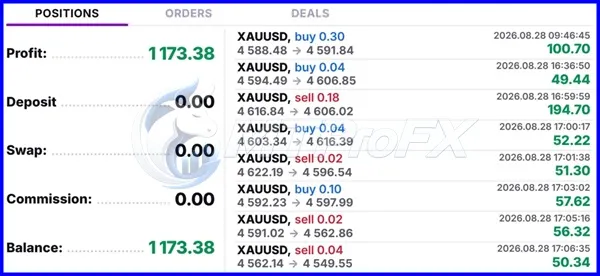
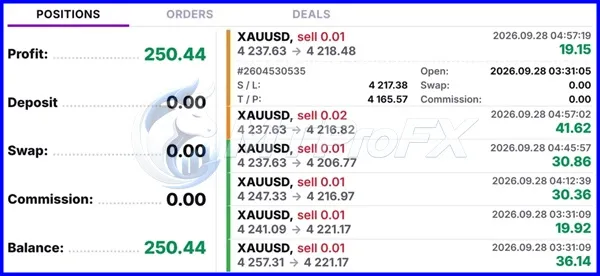
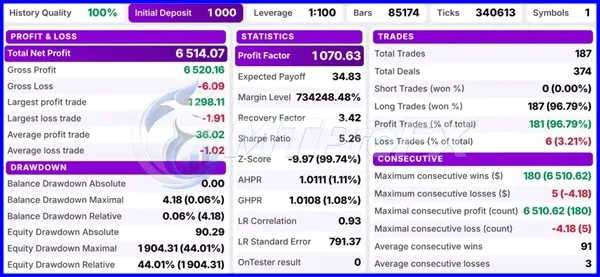
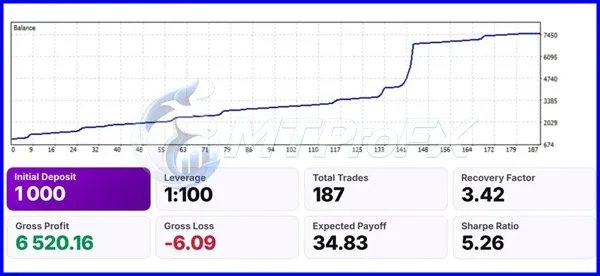
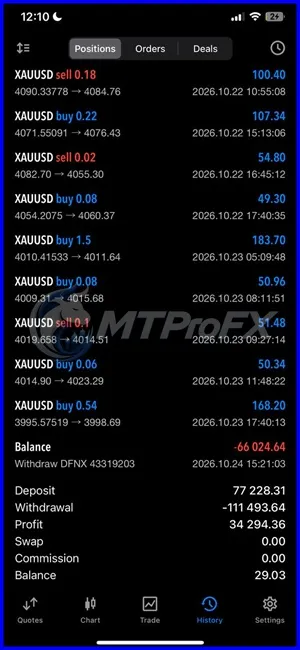
Backtest Results
Get OSOK Gold Killer EA MT5 v3.10 FREE (VIP Members Only)
Join a VIP Telegram group to get access. Pick your plan:
Conclusion
☑️ OSOK Gold Killer EA MT5 v3.10 may interest traders researching automated trading tools for MetaTrader 5, particularly those investigating gold-focused strategies. Before purchasing or deploying the EA, verify its actual features, supported instruments, recommended settings, and independently testable performance.
For a more informed decision, prioritize transparent backtest reports, realistic trading costs, conservative risk management, and demo testing. No Expert Advisor can guarantee profits, and automated trading can result in the loss of capital.
What's Included
File Size
82.8 KB
File Type
ZIP
Downloads
131
Login to add your review.
akramvidu@gmail.com
Oct 29, 2026
A demo test would help me understand its trading frequency and how it behaves when the market becomes volatile.
OSOK Gold Killer EA MT5 v3.10 is identified as an Expert Advisor for MetaTrader 5. Its name suggests a gold-trading focus, but its exact strategy and supported instruments should be confirmed with the developer.
The product name suggests a possible gold focus, but XAUUSD compatibility should be verified in the official documentation before installation.
Profitability cannot be confirmed without reliable, independently verifiable performance data. Backtests and demo results can help assess performance, but they cannot guarantee future profits.
Use the timeframe recommended by the developer. If the EA's documentation is unavailable, test compatible timeframes systematically rather than assuming one will perform best.
Beginners may be able to install an EA, but they should first learn MT5 basics, understand the risks of automated trading, and test it on a demo account.
The product is identified as an MT5 EA, so MetaTrader 5 is the intended platform. It should not be assumed compatible with MetaTrader 4.
Potentially, if the EA and broker support the intended setup. A compatible VPS can keep MT5 running when your personal computer is off, but it cannot eliminate trading risk or guarantee uninterrupted execution.
The minimum balance depends on the EA's position sizing, trading strategy, broker margin requirements, and supported instruments. Check the developer's recommendations and test with conservative risk settings.
Do not assume compatibility. Check the prop firm's rules on automated trading, prohibited strategies, drawdown limits, news trading, and third-party EAs before using it.
Start with historical testing using realistic trading costs, then conduct forward testing on a demo account. Monitor drawdown, execution quality, and risk exposure before considering live deployment.