Back to Products
 0.0 (0 reviews)


Featured
Bestseller
Expert Advisors
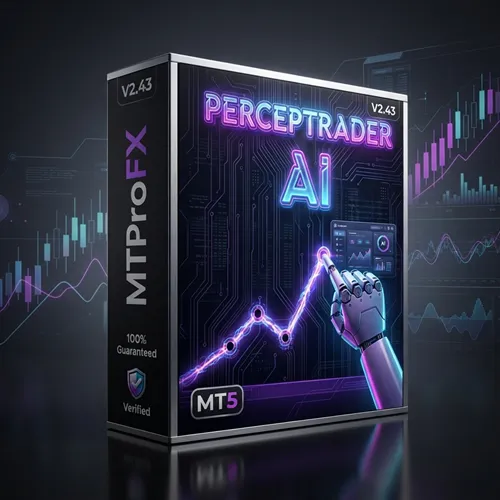
Perceptrader AI EA V2.43 MT5 – AI Scalping & Trend Trading Robot | Myfxbook Verified
$799.00
$16.99
97.87% OFFPerceptrader AI EA V2.43 MT5 is an advanced artificial intelligence-powered Expert Advisor developed for the MetaTrader 5 platform. It uses intelligent market analysis, trend recognition, and automated trade execution to identify high-probability trading opportunities. The EA is designed to adapt to changing market conditions while maintaining disciplined risk management. Whether you are a beginner seeking automation or an experienced trader looking to optimize trading efficiency, Perceptrader AI EA offers a fully automated solution that works around the clock.
What is Perceptrader AI EA V2.43 MT5?
Perceptrader AI EA V2.43 MT5 is an advanced artificial intelligence-powered Expert Advisor developed for the MetaTrader 5 platform. It uses intelligent market analysis, trend recognition, and automated trade execution to identify high-probability trading opportunities. The EA is designed to adapt to changing market conditions while maintaining disciplined risk management.
Whether you are a beginner seeking automation or an experienced trader looking to optimize trading efficiency, Perceptrader AI EA offers a fully automated solution that works around the clock.
Whether you are a beginner seeking automation or an experienced trader looking to optimize trading efficiency, Perceptrader AI EA offers a fully automated solution that works around the clock.
Recommended Trading Currency Pairs
For optimal performance, the following Forex pairs are commonly recommended:
✅ EUR/USD
✅ GBP/USD
✅ USD/JPY
✅ USD/CAD
✅ AUD/USD
✅ NZD/USD
✅ EUR/JPY
✅ GBP/JPY
The EA performs best on highly liquid currency pairs with relatively low spreads.
Platform: MetaTrader 5 (MT5)
✅ EUR/USD
✅ GBP/USD
✅ USD/JPY
✅ USD/CAD
✅ AUD/USD
✅ NZD/USD
✅ EUR/JPY
✅ GBP/JPY
The EA performs best on highly liquid currency pairs with relatively low spreads.
Platform: MetaTrader 5 (MT5)
Perceptrader AI EA V2.43 MT5 Features
Advanced Artificial Intelligence trading engine
Fully automated trade execution
Smart trend detection algorithms
Dynamic market adaptation
Built-in money management
Adjustable risk settings
Stop Loss and Take Profit protection
Spread filtering
News filter compatibility
Multi-currency trading support
Optimized for MT5
Low latency execution
Easy parameter customization
Stable long-term trading logic
Suitable for VPS hosting
Perceptrader AI EA V2.43 MT5 – Best Settings
Although traders may customize settings according to their risk tolerance, these configurations are commonly preferred:
✅ Platform: MT5
✅ Timeframe: M15 or H1
✅ Risk Level: 1%–2% per trade
✅ Maximum Spread Filter: 20 points
✅ Auto Lot: Enabled for balanced growth
✅ Fixed Lot: 0.01 per $1,000 balance
✅ VPS: Recommended for uninterrupted trading
✅Broker: Low-spread ECN broker
✅ Leverage: 1:100 or higher
✅ News Filter: Enabled when available
Always test settings on a demo account before using a live account.
✅ Platform: MT5
✅ Timeframe: M15 or H1
✅ Risk Level: 1%–2% per trade
✅ Maximum Spread Filter: 20 points
✅ Auto Lot: Enabled for balanced growth
✅ Fixed Lot: 0.01 per $1,000 balance
✅ VPS: Recommended for uninterrupted trading
✅Broker: Low-spread ECN broker
✅ Leverage: 1:100 or higher
✅ News Filter: Enabled when available
Always test settings on a demo account before using a live account.
Instructions for Installing Perceptrader AI EA V2.43 MT5
Installing Perceptrader AI EA V2.43 MT5 is simple:
✅ Download the EA package.
✅ Open MetaTrader 5.
✅ Click File → Open Data Folder.
✅ Navigate to MQL5 → Experts.
✅ Copy the EA file into the Experts folder.
✅ Restart MetaTrader 5.
✅ Open your preferred currency chart.
✅ Select the recommended timeframe.
✅ Drag the EA onto the chart.
✅ Enable AutoTrading.
✅ Configure your preferred trading settings.
✅ Monitor performance regularly.
✅ Download the EA package.
✅ Open MetaTrader 5.
✅ Click File → Open Data Folder.
✅ Navigate to MQL5 → Experts.
✅ Copy the EA file into the Experts folder.
✅ Restart MetaTrader 5.
✅ Open your preferred currency chart.
✅ Select the recommended timeframe.
✅ Drag the EA onto the chart.
✅ Enable AutoTrading.
✅ Configure your preferred trading settings.
✅ Monitor performance regularly.
Who Should Use Perceptrader AI EA V2.43 MT5?
Perceptrader AI EA is suitable for:
✅ Beginner Forex traders
✅ Busy professionals
✅ Automated trading enthusiasts
✅Swing traders
✅ Trend-following traders
✅ Investors seeking disciplined automation
✅ Traders using VPS servers
✅ Portfolio diversification strategies
✅ Users wanting emotion-free trading
✅ MT5 traders looking for AI-assisted execution
✅ Beginner Forex traders
✅ Busy professionals
✅ Automated trading enthusiasts
✅Swing traders
✅ Trend-following traders
✅ Investors seeking disciplined automation
✅ Traders using VPS servers
✅ Portfolio diversification strategies
✅ Users wanting emotion-free trading
✅ MT5 traders looking for AI-assisted execution
Download Perceptrader AI EA V2.43 MT5
Download Perceptrader AI EAPros and Cons
Pros
Fully automated trading
AI-powered decision making
Easy installation
Adjustable risk management
Supports multiple currency pairs
Optimized for MetaTrader 5
Suitable for beginners
VPS compatible
Low maintenance
Smart market adaptation
Cons
Requires continuous MT5 operation
Performance depends on market conditions
Proper risk management remains essential
VPS recommended for best stability
Demo testing is advised before live trading
Backtest Results
Final Verdict – Is Perceptrader AI EA V2.43 MT5 Worth It?
Perceptrader AI EA V2.43 MT5 combines artificial intelligence with automated Forex trading to help traders identify market opportunities while reducing emotional decision-making. Its intelligent trading logic, customizable risk management, and compatibility with MetaTrader 5 make it a practical choice for traders who value automation.
Like any Expert Advisor, results can vary depending on broker quality, spreads, market volatility, and account settings. Using conservative risk management and testing the EA on a demo account before live deployment is strongly recommended.
Overall, Perceptrader AI EA V2.43 MT5 is a feature-rich automated trading solution suitable for traders seeking an AI-enhanced trading experience.
Like any Expert Advisor, results can vary depending on broker quality, spreads, market volatility, and account settings. Using conservative risk management and testing the EA on a demo account before live deployment is strongly recommended.
Overall, Perceptrader AI EA V2.43 MT5 is a feature-rich automated trading solution suitable for traders seeking an AI-enhanced trading experience.
What's Included
File Size
4.23 MB
File Type
ZIP
Downloads
85
Login to add your review.
davidm@gmail.com
Jul 01, 2026
I've been using this EA for several weeks, and the trade execution has been smooth. The AI adapts well during trending markets.
It is an AI-powered automated Forex Expert Advisor designed for MetaTrader 5 that executes trades based on intelligent market analysis.
No. This version is specifically designed for MetaTrader 5 (MT5).
EUR/USD, GBP/USD, USD/JPY, AUD/USD, USD/CAD, EUR/JPY, GBP/JPY, and NZD/USD are commonly recommended.
M15 and H1 are generally preferred, depending on your trading strategy.
Yes. A Forex VPS helps maintain uninterrupted operation and reduces latency.
Yes. It features straightforward installation and configurable settings suitable for beginners.
Yes. It includes adjustable risk management features and supports both automatic and fixed lot sizing.
Absolutely. Testing on a demo account allows you to optimize settings and evaluate performance before trading live.
No. Like all Forex trading systems, profitability depends on market conditions, broker execution, account settings, and risk management. No Expert Advisor can guarantee consistent profits.
Yes. With proper configuration, disciplined risk management, and regular monitoring, it can be incorporated into a long-term automated trading strategy.