Back to Products
 0.0 (0 reviews)


Featured
Bestseller
Expert Advisors
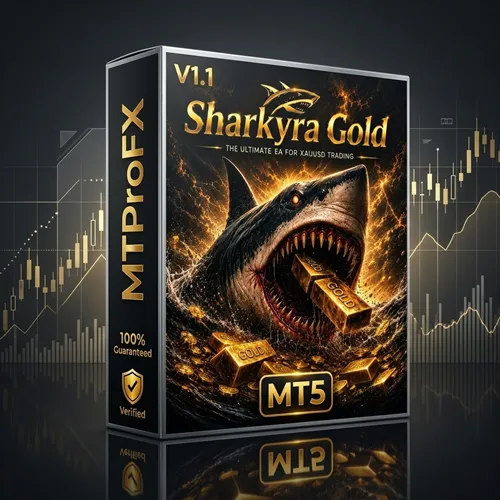
Sharkyra Gold EA MT5 V1.1 – Myfxbook Verified Scalping Gold Trading Robot for MetaTrader 5
$550.00
$16.99
96.91% OFF✅ Sharkyra Gold EA MT5 V1.1 is an automated Expert Advisor designed for MetaTrader 5 traders who primarily focus on Gold (XAUUSD). It uses advanced algorithmic strategies to identify high-probability trading opportunities while managing risk through automated entry, exit, and money management features. The EA is suitable for traders looking to automate their Gold trading with minimal manual intervention.
What is Sharkyra Gold EA MT5 V1.1?
✅ Sharkyra Gold EA MT5 V1.1 is a fully automated Forex Expert Advisor developed exclusively for the MetaTrader 5 platform. It specializes in trading Gold (XAUUSD) by analyzing market volatility, trend direction, and price momentum.
The EA continuously scans the market, executes trades based on predefined trading logic, and manages open positions automatically. It is designed to reduce emotional trading while maintaining disciplined risk management.
Whether you are a beginner or an experienced trader, Sharkyra Gold EA helps automate your trading strategy and potentially improve trading consistency.
The EA continuously scans the market, executes trades based on predefined trading logic, and manages open positions automatically. It is designed to reduce emotional trading while maintaining disciplined risk management.
Whether you are a beginner or an experienced trader, Sharkyra Gold EA helps automate your trading strategy and potentially improve trading consistency.
Recommended Trading Currency Pairs
For optimal performance, use the EA on the following instruments:
✅ XAUUSD (Gold) – Recommended
✅ XAUUSD.a (Broker-specific Gold symbols)
✅ XAUUSDm (Micro Gold symbols)
Recommended Timeframe
✅ M15 (Recommended)
✅ M30
✅ H1 (Optional depending on market conditions)
Trading Platform
✅ MetaTrader 5 (MT5)
✅ Windows VPS Recommended
✅ Low Spread ECN Broker Preferred
✅ XAUUSD (Gold) – Recommended
✅ XAUUSD.a (Broker-specific Gold symbols)
✅ XAUUSDm (Micro Gold symbols)
Recommended Timeframe
✅ M15 (Recommended)
✅ M30
✅ H1 (Optional depending on market conditions)
Trading Platform
✅ MetaTrader 5 (MT5)
✅ Windows VPS Recommended
✅ Low Spread ECN Broker Preferred
Sharkyra Gold EA MT5 V1.1 Features
Fully Automated Trading
Optimized for Gold (XAUUSD)
Advanced Scalping Algorithm
Intelligent Trade Filtering
Automatic Entry & Exit
Smart Stop Loss Management
Dynamic Take Profit System
Built-in Risk Management
Money Management Options
News Filter Compatible
Low Latency Execution
Works with ECN Brokers
Optimized for VPS Hosting
Easy Installation
Beginner Friendly
Sharkyra Gold EA MT5 V1.1 – Best Settings
For stable performance, many traders prefer using conservative risk management.
Recommended configuration:
✅ Platform: MT5
✅ Symbol: XAUUSD
✅ Timeframe: M15
✅ Auto Trading: Enabled
✅ Risk Per Trade: 1–2%
✅ Fixed Lot: Optional for experienced traders
✅ VPS: Recommended
✅ Broker Type: ECN / Raw Spread
✅ Minimum Deposit: $300 or higher
✅ Low Spread Environment: Recommended
Always test the EA on a demo account before using it on a live account.
Recommended configuration:
✅ Platform: MT5
✅ Symbol: XAUUSD
✅ Timeframe: M15
✅ Auto Trading: Enabled
✅ Risk Per Trade: 1–2%
✅ Fixed Lot: Optional for experienced traders
✅ VPS: Recommended
✅ Broker Type: ECN / Raw Spread
✅ Minimum Deposit: $300 or higher
✅ Low Spread Environment: Recommended
Always test the EA on a demo account before using it on a live account.
Instructions for Installing Sharkyra Gold EA MT5 V1.1
Installing Sharkyra Gold EA MT5 V1.1 is straightforward:
01) Download the EA package.
02) Open MetaTrader 5.
03) Click File → Open Data Folder.
04) Navigate to MQL5 → Experts.
05) Copy the EA file into the Experts folder.
06) Restart MT5.
07) Open the Navigator panel.
08) Drag Sharkyra Gold EA onto the XAUUSD chart.
09) Enable Allow Algo Trading.
10) Configure your preferred settings.
11) Enable AutoTrading.
12) Monitor the EA during initial operation.
01) Download the EA package.
02) Open MetaTrader 5.
03) Click File → Open Data Folder.
04) Navigate to MQL5 → Experts.
05) Copy the EA file into the Experts folder.
06) Restart MT5.
07) Open the Navigator panel.
08) Drag Sharkyra Gold EA onto the XAUUSD chart.
09) Enable Allow Algo Trading.
10) Configure your preferred settings.
11) Enable AutoTrading.
12) Monitor the EA during initial operation.
Who Should Use Sharkyra Gold EA MT5 V1.1?
This EA is ideal for:
✅ Gold traders
✅ MT5 users
✅ Beginners seeking automated trading
✅ Professional Forex traders
✅ Scalping strategy enthusiasts
✅ Traders using VPS servers
✅ Busy traders who cannot monitor charts continuously
✅ Traders looking for disciplined risk management
✅ Gold traders
✅ MT5 users
✅ Beginners seeking automated trading
✅ Professional Forex traders
✅ Scalping strategy enthusiasts
✅ Traders using VPS servers
✅ Busy traders who cannot monitor charts continuously
✅ Traders looking for disciplined risk management
Download Sharkyra Gold EA MT5 V1.1
Download Sharkyra Gold EA MT5Pros and Cons
Pros
Fully automated trading
Optimized specifically for Gold
Easy to install
Beginner-friendly setup
Supports ECN brokers
Supports ECN brokers
Suitable for VPS hosting
Eliminates emotional trading
Saves trading time
Flexible risk settings
Cons
MT5 platform only
Performance depends on broker conditions
Low spreads are recommended
VPS is strongly recommended for uninterrupted operation
Demo testing is advisable before live trading
Backtest Results
Final Verdict – Is Sharkyra Gold EA MT5 V1.1 Worth It?
✅ Sharkyra Gold EA MT5 V1.1 is a specialized automated trading solution for Gold traders using MetaTrader 5. It offers automated execution, built-in money management, flexible risk controls, and ease of use for traders of different experience levels.
As with any Expert Advisor, trading results will depend on market conditions, broker execution quality, spreads, VPS stability, and individual risk settings. Thorough testing on a demo account is recommended before live deployment.
As with any Expert Advisor, trading results will depend on market conditions, broker execution quality, spreads, VPS stability, and individual risk settings. Thorough testing on a demo account is recommended before live deployment.
What's Included
File Size
631 KB
File Type
ZIP
Downloads
78
Login to add your review.
ethanwalker@gmail.com
Jul 26, 2026
"The EA works efficiently on my VPS. Trade management is impressive, and installation only took a few minutes."
It is an automated Forex Expert Advisor designed for MetaTrader 4 that uses a recovery and grid-based trading strategy.
No. This version is specifically designed for MetaTrader 4.
ECN or Raw Spread brokers with low spreads are generally recommended.
M15 and H1 are commonly preferred for balanced performance.
Yes. Installation is straightforward, and the EA automates most trading tasks.
Not mandatory, but highly recommended for continuous trading and stable execution.
A minimum of $500 is commonly suggested, although higher balances may provide greater flexibility for recovery-based strategies.
Yes. The EA allows users to adjust risk, lot sizing, and other trading parameters.
Yes. It is designed to work with several major Forex pairs.
Yes. Always test the EA on a demo account and optimize the settings before trading with real funds.