Back to Products
 0.0 (0 reviews)
Featured
Bestseller
Expert Advisors
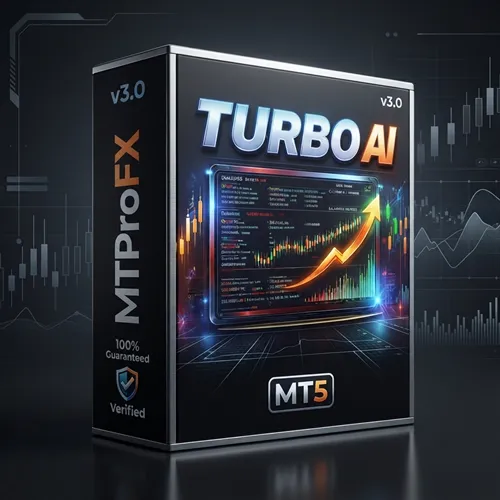
Turbo AI EA MT5 v3.0
$660.00
$16.99
97.43% OFFTurbo AI EA MT5 v3.0 is an advanced automated trading robot designed for the MetaTrader 5 platform. It uses artificial intelligence-based market analysis, trend detection, and smart entry algorithms to identify high-probability trading opportunities in the forex market. The EA is built for traders who want automated execution, risk management, and optimized performance across multiple currency pairs.
What is Turbo AI EA MT5 v3.0 – Advanced Automated Forex Trading Solution for MT5?
Turbo AI EA MT5 v3.0 is a fully automated Expert Advisor (EA) for MetaTrader 5 that helps traders execute forex trades without manual intervention. The system analyzes price action, volatility, market momentum, and trend strength using intelligent trading algorithms.
The EA aims to reduce emotional trading while improving consistency through automated trade execution and built-in money management tools.
The EA aims to reduce emotional trading while improving consistency through automated trade execution and built-in money management tools.
Recommended Trading Currency Pairs
✅ EURUSD
✅ GBPUSD
✅ USDJPY
✅ AUDUSD
✅ USDCAD
✅ XAUUSD (Gold)
✅ GBPUSD
✅ USDJPY
✅ AUDUSD
✅ USDCAD
✅ XAUUSD (Gold)
Turbo AI EA MT5 v3.0 – Advanced Automated Forex Trading Solution for MT5 Features
AI-Based Trading Logic - The EA uses intelligent algorithms to analyze market conditions and detect high-probability trade setups.
Fully Automated Trading - No manual trading is required. The EA opens, manages, and closes trades automatically.
Smart Risk Management - Includes stop loss, take profit, trailing stop, and lot size management for safer trading.
Multi-Currency Support - Can trade multiple forex pairs simultaneously for portfolio diversification.
News Filter Integration - Helps avoid trading during high-impact economic news events.
Optimized for MT5 - Designed specifically for MetaTrader 5 with improved speed and execution.
User-Friendly Settings - Simple configuration suitable for both beginners and experienced traders.
VPS Compatibility - Runs efficiently on virtual private servers for uninterrupted operation.
Turbo AI EA MT5 v3.0 – Advanced Automated Forex Trading Solution for MT5 – Best Settings
✅ Risk Level: 1% to 3%
✅ Timeframe: H1
✅ Auto Lot: Enabled
✅ Max Spread Filter: Enabled
✅ News Filter: Enabled
✅ VPS Hosting: Recommended
✅ Trading Session: London and New York sessions
Always test settings on a demo account before using real funds.
✅ Timeframe: H1
✅ Auto Lot: Enabled
✅ Max Spread Filter: Enabled
✅ News Filter: Enabled
✅ VPS Hosting: Recommended
✅ Trading Session: London and New York sessions
Always test settings on a demo account before using real funds.
Instructions for Installing Turbo AI EA MT5 v3.0 – Advanced Automated Forex Trading Solution for MT5
✅ Step 1: Download the EA
Download Turbo AI EA MT5 v3.0 files including:
EX5 file
Preset/set files
Installation guide
✅ Step 2: Open MetaTrader 5
Launch your MT5 trading platform.
✅ Step 3: Install the EA
Go to:
File > Open Data Folder > MQL5 > Experts
Copy the EA file into the Experts folder.
✅ Step 4: Restart MT5
Close and reopen the MetaTrader 5 platform.
✅ Step 5: Attach EA to Chart
Drag Turbo AI EA MT5 v3.0 onto your preferred currency pair chart.
✅ Step 6: Enable Auto Trading
Turn on the “AutoTrading” button in MT5.
✅ Step 7: Load Recommended Settings
Import the provided set file for optimized performance.
Download Turbo AI EA MT5 v3.0 files including:
EX5 file
Preset/set files
Installation guide
✅ Step 2: Open MetaTrader 5
Launch your MT5 trading platform.
✅ Step 3: Install the EA
Go to:
File > Open Data Folder > MQL5 > Experts
Copy the EA file into the Experts folder.
✅ Step 4: Restart MT5
Close and reopen the MetaTrader 5 platform.
✅ Step 5: Attach EA to Chart
Drag Turbo AI EA MT5 v3.0 onto your preferred currency pair chart.
✅ Step 6: Enable Auto Trading
Turn on the “AutoTrading” button in MT5.
✅ Step 7: Load Recommended Settings
Import the provided set file for optimized performance.
Who Should Use Turbo AI EA MT5 v3.0 – Advanced Automated Forex Trading Solution for MT5?
✅ Beginner traders looking for automation
✅ Busy traders with limited screen time
✅ Forex traders seeking emotion-free execution
✅ Scalpers and intraday traders
✅ Traders interested in AI-powered forex systems
✅ MT5 users wanting automated portfolio management
✅ Busy traders with limited screen time
✅ Forex traders seeking emotion-free execution
✅ Scalpers and intraday traders
✅ Traders interested in AI-powered forex systems
✅ MT5 users wanting automated portfolio management
Pros and Cons
Pros
Fully automated trading
AI-powered market analysis
Easy installation and setup
Supports multiple currency pairs
Built-in risk management tools
Optimized for MT5 platform
Suitable for beginners and professionals
Cons
Requires stable internet or VPS
Performance may vary with broker conditions
High-risk settings can increase drawdown
Needs periodic optimization for changing markets
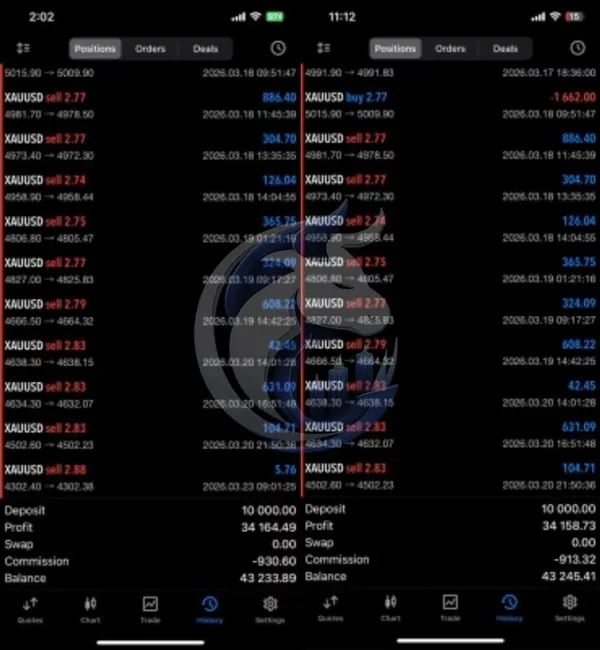
Backtest Results
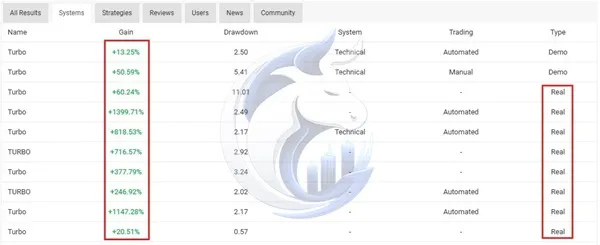
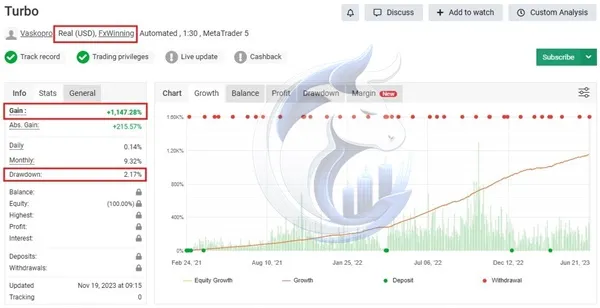
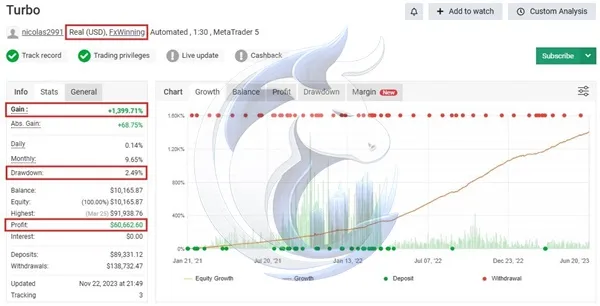
Turbo AI EA MT5 v3.0 is an advanced automated trading robot designed for the MetaTrader 5 platform. It uses artificial intelligence-based market analysis, trend detection, and smart entry algorithms to identify high-probability trading opportunities in the forex market. The EA is built for traders who want automated execution, risk management, and optimized performance across multiple currency pairs.
Final Verdict – Is Turbo AI EA MT5 v3.0 – Advanced Automated Forex Trading Solution for MT5 Worth It?
Turbo AI EA MT5 v3.0 is a powerful automated forex trading solution for traders seeking AI-driven market analysis and hands-free execution. With support for multiple currency pairs, smart risk management, and MT5 optimization, the EA offers a flexible trading experience for both beginners and advanced traders.
Using proper risk management, VPS hosting, and optimized settings can help improve long-term trading consistency. As with any forex trading system, testing on a demo account before live trading is strongly recommended.
Using proper risk management, VPS hosting, and optimized settings can help improve long-term trading consistency. As with any forex trading system, testing on a demo account before live trading is strongly recommended.
What's Included
File Size
2.25 MB
File Type
ZIP
Downloads
78
Login to add your review.
kevinm@gmail.com
May 23, 2026
Stable execution and low drawdown with conservative settings. Recommended for MT5 users
Yes, the EA automatically analyzes the market and executes trades without manual intervention.
It is designed exclusively for MetaTrader 5 (MT5).
Yes, the EA includes simple settings and preset configurations suitable for beginners.
Yes, many traders use it on XAUUSD with optimized settings.
A VPS is highly recommended for stable 24/7 trading and reduced latency.
A minimum deposit of $100 to $500 is commonly recommended depending on risk settings.
Yes, users can adjust risk management, lot sizes, trading sessions, and filters.