Back to Products
 5.0 (1 reviews)

Bestseller
Expert Advisors
Yarukami Mnukakashi EA MT4 v10.6
$450.00
$28.99
93.56% OFFYarukami Mnukakashi EA MT4 v10.6 is an automated Forex trading robot designed for the MetaTrader 4 platform. This Expert Advisor focuses on precision trade execution, market trend analysis, and risk-controlled automated trading. The EA is suitable for traders looking to automate their Forex strategies while minimizing manual market monitoring. The system is optimized for major currency pairs and works best in stable market conditions with low spreads and fast execution brokers.
What you get
- Fully Automated Trading - The EA automatically opens, manages, and closes trades based on built-in algorithmic strategies.
- Smart Market Entry System - Uses advanced entry filtering to identify high-probability trading opportunities.
- Risk Management Controls - Includes customizable lot sizing, stop loss, take profit, and drawdown protection features.
- Multi-Pair Trading Support - Capable of monitoring and trading multiple currency pairs simultaneously.
- News Filter Compatibility - Can be combined with manual news filters to avoid high-volatility events.
7-day refund support for valid technical issues.
Need help? Contact support via Telegram for setup help.
What is Yarukami Mnukakashi EA MT4 v10.6 – Advanced Forex Trading Robot for MetaTrader 4?
Yarukami Mnukakashi EA MT4 v10.6 is an automated Forex trading robot designed for the MetaTrader 4 platform. This Expert Advisor focuses on precision trade execution, market trend analysis, and risk-controlled automated trading. The EA is suitable for traders looking to automate their Forex strategies while minimizing manual market monitoring.
The system is optimized for major currency pairs and works best in stable market conditions with low spreads and fast execution brokers.
The system is optimized for major currency pairs and works best in stable market conditions with low spreads and fast execution brokers.
Recommended Trading Currency Pairs
✅ EURUSD
✅ GBPUSD
✅ USDJPY
✅ AUDUSD
✅ USDCAD
✅ EURJPY
✅ XAUUSD (Gold) – optional with adjusted risk settings
✅ GBPUSD
✅ USDJPY
✅ AUDUSD
✅ USDCAD
✅ EURJPY
✅ XAUUSD (Gold) – optional with adjusted risk settings
Yarukami Mnukakashi EA MT4 v10.6 – Advanced Forex Trading Robot for MetaTrader 4 Features
Fully Automated Trading - The EA automatically opens, manages, and closes trades based on built-in algorithmic strategies.
Smart Market Entry System - Uses advanced entry filtering to identify high-probability trading opportunities.
Risk Management Controls - Includes customizable lot sizing, stop loss, take profit, and drawdown protection features.
Multi-Pair Trading Support - Capable of monitoring and trading multiple currency pairs simultaneously.
News Filter Compatibility - Can be combined with manual news filters to avoid high-volatility events.
Low Resource Usage - Optimized for stable MT4 performance without excessive CPU consumption.
VPS Friendly - Works efficiently on Forex VPS servers for uninterrupted automated trading.
User-Friendly Settings - Simple configuration suitable for both beginners and experienced traders.
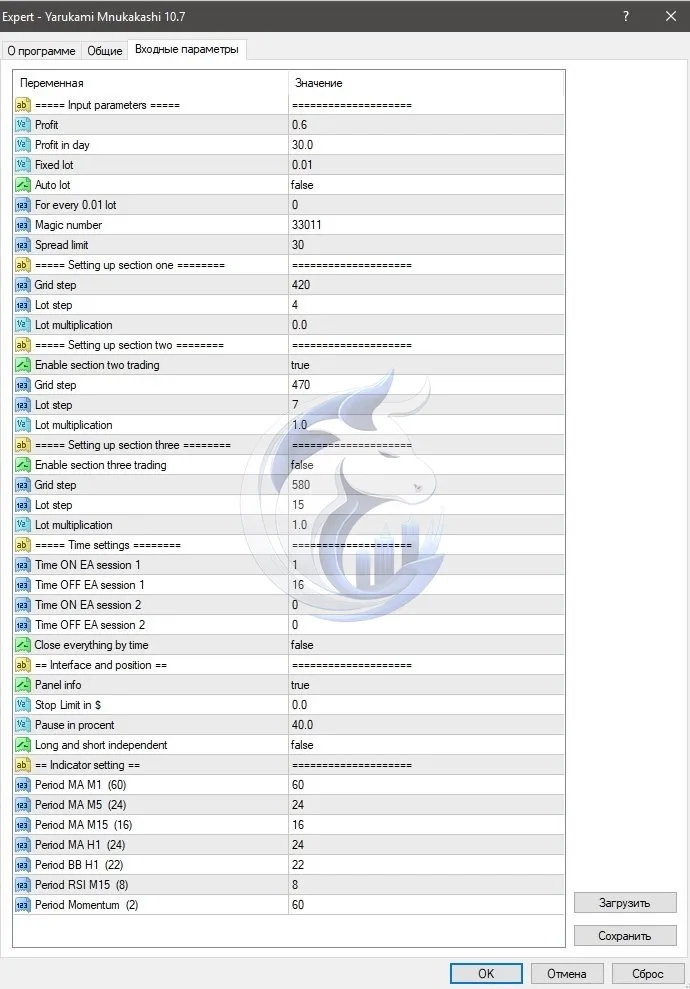
Yarukami Mnukakashi EA MT4 v10.6 – Advanced Forex Trading Robot for MetaTrader 4 – Best Settings
For safer and more stable trading performance, consider the following setup:
✅Timeframe: M15 or H1
✅Risk Level: 1% to 3% per trade
✅Use ECN broker with spreads below 20 points
✅Enable AutoTrading in MT4
✅Minimum Deposit: $100+
✅VPS latency below 10ms preferred
✅Avoid trading during major economic news releases
✅Use conservative lot sizes for long-term stability
✅Timeframe: M15 or H1
✅Risk Level: 1% to 3% per trade
✅Use ECN broker with spreads below 20 points
✅Enable AutoTrading in MT4
✅Minimum Deposit: $100+
✅VPS latency below 10ms preferred
✅Avoid trading during major economic news releases
✅Use conservative lot sizes for long-term stability
Instructions for Installing Yarukami Mnukakashi EA MT4 v10.6 – Advanced Forex Trading Robot for MetaTrader 4
✅ Step 1 – Download the EA
Download the Yarukami Mnukakashi EA MT4 v10.6 files.
✅ Step 2 – Open MetaTrader 4
Launch your MT4 trading platform.
✅ Step 3 – Open Data Folder
Go to:
File → Open Data Folder
✅ Step 4 – Copy EA Files
Paste the EA files into:
MQL4 → Experts
✅ Step 5 – Restart MT4
Restart the MetaTrader 4 platform.
✅ Step 6 – Attach EA to Chart
Open your preferred currency pair chart
Select recommended timeframe
Drag the EA onto the chart
✅ Step 7 – Enable AutoTrading
Make sure the “AutoTrading” button is enabled.
Download the Yarukami Mnukakashi EA MT4 v10.6 files.
✅ Step 2 – Open MetaTrader 4
Launch your MT4 trading platform.
✅ Step 3 – Open Data Folder
Go to:
File → Open Data Folder
✅ Step 4 – Copy EA Files
Paste the EA files into:
MQL4 → Experts
✅ Step 5 – Restart MT4
Restart the MetaTrader 4 platform.
✅ Step 6 – Attach EA to Chart
Open your preferred currency pair chart
Select recommended timeframe
Drag the EA onto the chart
✅ Step 7 – Enable AutoTrading
Make sure the “AutoTrading” button is enabled.
Who Should Use Yarukami Mnukakashi EA MT4 v10.6 – Advanced Forex Trading Robot for MetaTrader 4?
Yarukami Mnukakashi EA MT4 v10.6 is suitable for:
✅ Beginner Forex traders seeking automation
✅ Busy traders with limited screen time
✅ Scalping and intraday traders
✅ Traders using VPS hosting
✅ Users wanting emotion-free trading
✅ MT4 platform users
✅ Traders testing algorithmic strategies
✅ Beginner Forex traders seeking automation
✅ Busy traders with limited screen time
✅ Scalping and intraday traders
✅ Traders using VPS hosting
✅ Users wanting emotion-free trading
✅ MT4 platform users
✅ Traders testing algorithmic strategies
Pros and Cons
Pros
Fully automated trading
Easy MT4 installation
Multi-currency support
Beginner-friendly settings
Works with VPS hosting
Risk management options included
Suitable for low-spread brokers
Cons
Performance may vary with broker conditions
Requires stable internet or VPS
High-risk settings can increase drawdown
News volatility may affect results
Not guaranteed profit in all market conditions
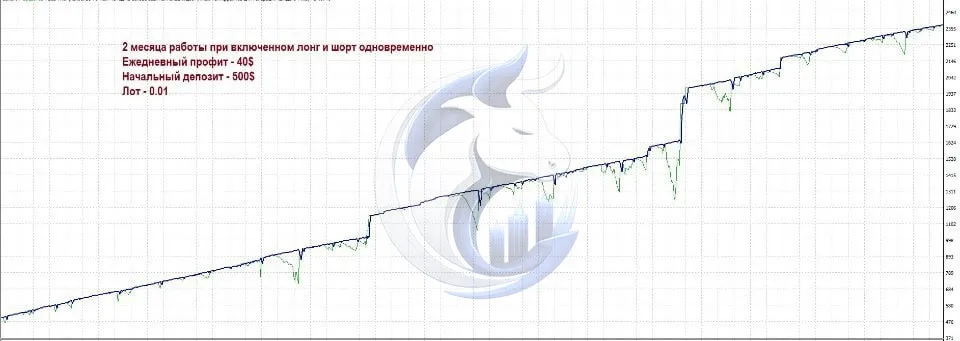
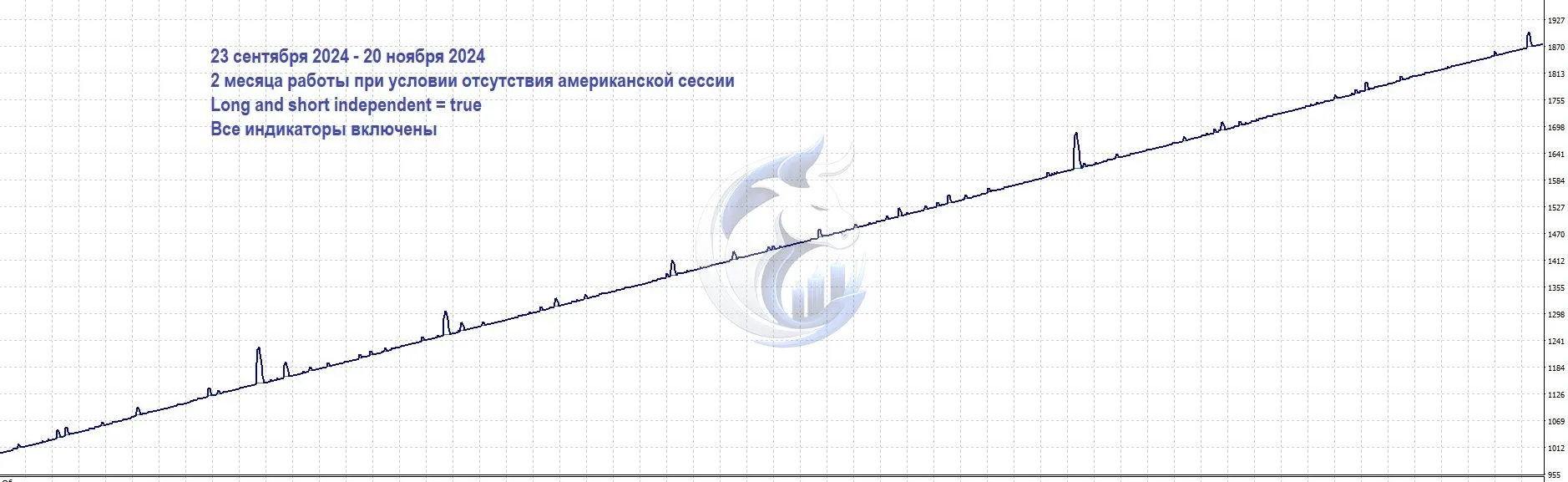
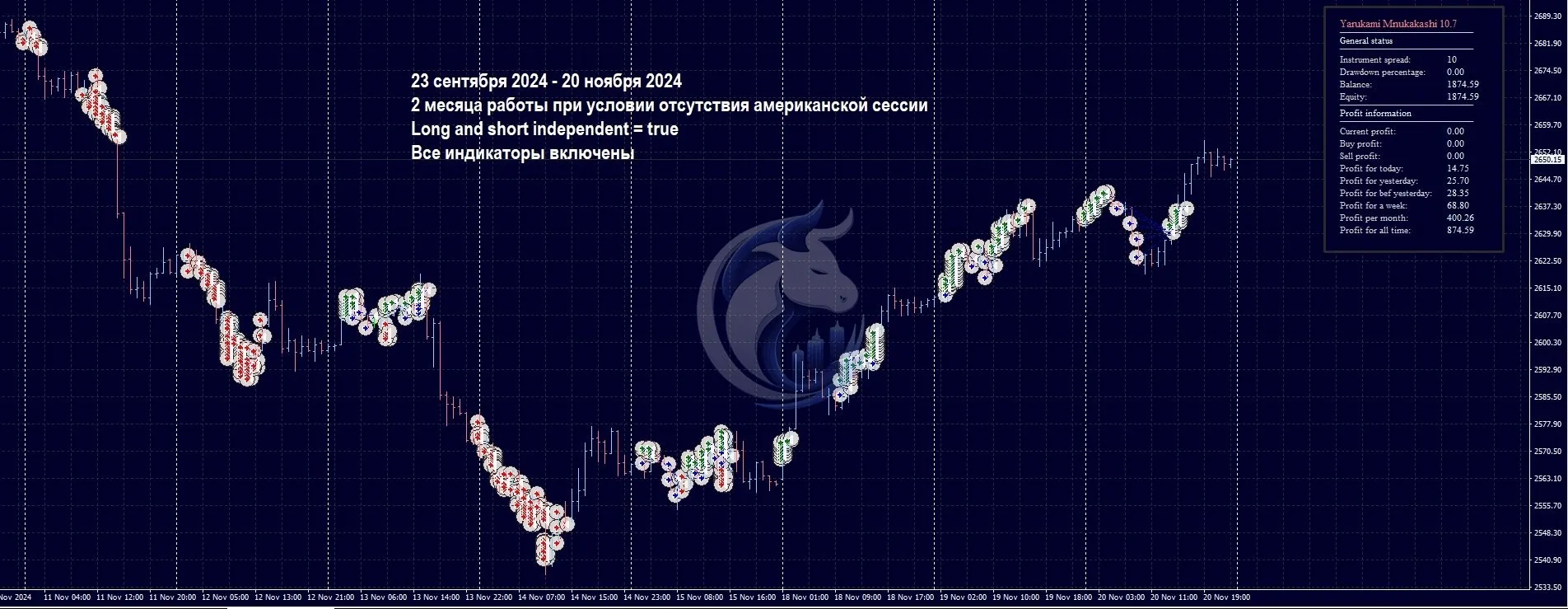
Backtest Results
Yarukami Mnukakashi EA MT4 v10.6 is an automated Forex trading robot designed for the MetaTrader 4 platform. This Expert Advisor focuses on precision trade execution, market trend analysis, and risk-controlled automated trading. The EA is suitable for traders looking to automate their Forex strategies while minimizing manual market monitoring.
The system is optimized for major currency pairs and works best in stable market conditions with low spreads and fast execution brokers.
The system is optimized for major currency pairs and works best in stable market conditions with low spreads and fast execution brokers.
Conclusion
Yarukami Mnukakashi EA MT4 v10.6 is a powerful automated Forex trading solution for traders looking to simplify market execution and improve trading efficiency. With support for multiple currency pairs, customizable risk settings, and MT4 compatibility, this EA can be a useful tool for both beginners and advanced traders.
For best results, traders should combine proper risk management, VPS hosting, and low-spread broker conditions. As with any Forex Expert Advisor, testing on a demo account before live trading is highly recommended.
For best results, traders should combine proper risk management, VPS hosting, and low-spread broker conditions. As with any Forex Expert Advisor, testing on a demo account before live trading is highly recommended.
What's Included
File Size
2.33MB
File Type
ZIP
Downloads
78
Login to add your review.
danielk5@gmail.com
May 16, 2026
Very smooth performance on EURUSD M15. Easy to install and stable so far.
It is an automated Forex Expert Advisor designed for MetaTrader 4 that executes trades automatically based on built-in algorithms.
An ECN broker with low spreads and fast execution is highly recommended.
Yes. The EA includes simple settings suitable for beginners.
Yes, but conservative risk settings are recommended for Gold trading.
A VPS is recommended for uninterrupted 24/7 trading and lower latency.
M15 and H1 are generally recommended for stable performance.
Yes. It automatically manages entries, exits, stop loss, and take profit.
Yes. The EA supports multiple Forex currency pairs.