Back to Products
 0.0 (0 reviews)
Featured
Bestseller
Expert Advisors
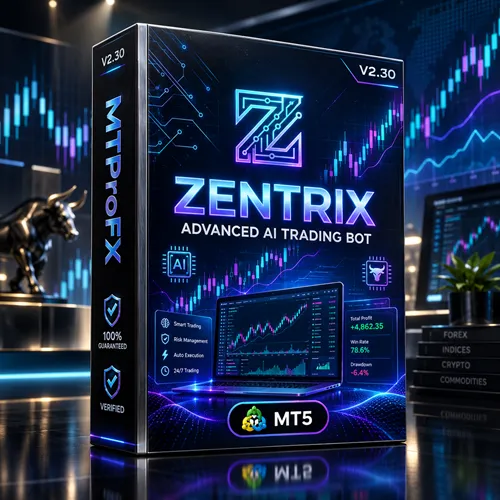
Zentrix Gold Scalp EA MT5 V2.30 – Powerful Gold Scalping Expert Advisor
$230.00
$16.99
92.61% OFF☑️ Zentrix Gold Scalp EA MT5 V2.30 is an automated trading Expert Advisor associated with gold trading on MetaTrader 5. The publicly available product listing for the similarly named Zentrix Gold Scalp Pro MT5 V2.30 describes an XAUUSD-focused trading robot with automated position management and risk-control features. Traders should verify that their downloaded file matches the exact product and version before installation.
What is Zentrix Gold Scalp EA MT5 V2.30?
☑️ Zentrix Gold Scalp EA MT5 V2.30 is a forex trading tool intended for traders who want to automate aspects of gold trading rather than enter and manage every trade manually.
The associated product listing describes automated XAUUSD trading, fixed stop-loss settings, controlled grid recovery, lot limits, and basket loss-cut protection. These features may help structure trade execution, but their effectiveness depends on the EA's actual implementation and the broker's trading conditions.
Platform: MetaTrader 5 (MT5)
Primary market: Gold against the US dollar (XAUUSD)
Trading approach: Automated gold scalping
Product version: V2.30, as listed for the Pro edition
The associated product listing describes automated XAUUSD trading, fixed stop-loss settings, controlled grid recovery, lot limits, and basket loss-cut protection. These features may help structure trade execution, but their effectiveness depends on the EA's actual implementation and the broker's trading conditions.
Platform: MetaTrader 5 (MT5)
Primary market: Gold against the US dollar (XAUUSD)
Trading approach: Automated gold scalping
Product version: V2.30, as listed for the Pro edition
Recommended Trading Currency Pairs
☑️ XAUUSD – Gold Against the US Dollar
XAUUSD is the primary market associated with this EA. Gold can experience substantial intraday price movements, creating opportunities for short-term trading while also exposing traders to rapid losses.
☑️ Other Gold Symbols
Some brokers use alternative symbol names, such as GOLD, XAUUSD.a, or XAUUSDm. Compatibility is not automatic. Confirm that the EA supports your broker's exact symbol before attaching it to a chart.
☑️ Major Forex Pairs
EURUSD, GBPUSD, and USDJPY are liquid currency pairs that traders commonly use for scalping. However, there is no verified evidence that this particular EA supports these pairs. Do not run it on other instruments unless its documentation explicitly confirms compatibility.
Recommended approach: Start with XAUUSD on a demo account and verify the EA's symbol and timeframe requirements.
XAUUSD is the primary market associated with this EA. Gold can experience substantial intraday price movements, creating opportunities for short-term trading while also exposing traders to rapid losses.
☑️ Other Gold Symbols
Some brokers use alternative symbol names, such as GOLD, XAUUSD.a, or XAUUSDm. Compatibility is not automatic. Confirm that the EA supports your broker's exact symbol before attaching it to a chart.
☑️ Major Forex Pairs
EURUSD, GBPUSD, and USDJPY are liquid currency pairs that traders commonly use for scalping. However, there is no verified evidence that this particular EA supports these pairs. Do not run it on other instruments unless its documentation explicitly confirms compatibility.
Recommended approach: Start with XAUUSD on a demo account and verify the EA's symbol and timeframe requirements.
Zentrix Gold Scalp EA MT5 V2.30 Features
Automated Gold Trading - The EA is designed to automate trade execution on gold, potentially reducing the need for continuous manual chart monitoring.
Fixed Stop-Loss Configuration - A fixed stop-loss setting is listed as a feature. A stop loss can help define the intended exit level, although slippage and gaps may cause the final execution price to differ.
Controlled Grid Recovery - The associated listing describes a controlled grid-recovery mechanism. Grid strategies can add exposure as prices move against existing positions, so they require careful monitoring and strict risk limits.
Lot Limits - Lot limits can help constrain position sizing. Traders should check whether the EA uses fixed lots, equity-based sizing, or another method before selecting settings.
Basket Loss-Cut Protection - Basket loss-cut protection is listed as a risk-control feature. Verify its trigger conditions and whether it closes all EA-managed positions when the configured threshold is reached.
MetaTrader 5 Compatibility - The product is listed for MT5. It should not be assumed to work on MetaTrader 4 or on every broker's trading environment.
Zentrix Gold Scalp EA MT5 V2.30 – Best Settings
There is no universally best configuration for every account. The following are conservative starting guidelines for testing, not verified official presets for this EA.
Recommended Chart and Trading Setup
☑️ Trading symbol: XAUUSD, provided the EA supports the broker's symbol.
☑️ Timeframe: Use the timeframe specified in the official manual. If it is undocumented, compare M1 and M5 in the Strategy Tester rather than assuming either is optimal.
☑️ Account type: A demo account initially, followed by a compatible low-spread account if testing results justify further evaluation.
☑️ Lot size: Use the smallest supported fixed lot while testing.
☑️ Risk per trade: If the EA supports percentage-based risk, consider starting around 0.25%–0.5% of equity per trade as a cautious testing range.
☑️ Stop loss: Enable it where supported and confirm that the distance is appropriate for gold volatility.
☑️ Maximum positions: Set a low limit if the EA exposes this option.
☑️ Daily loss limit: Use a predefined loss threshold and stop trading when it is reached.
☑️ Spread filter: Enable a spread limit if supported, using a threshold suitable for your broker.
☑️ News filter: Avoid trading through major USD economic announcements until the EA's behavior during news volatility has been tested.
Risk Management Recommendations
☑️ Do not increase lot sizes simply because the EA has completed several winning trades. Evaluate drawdown, losing streaks, spread sensitivity, and the possibility of multiple open positions.
☑️ If the EA uses grid recovery, remember that several small winning trades do not eliminate the risk of a large loss during a sustained market move.
☑️ Backtest using realistic spreads, commissions, swaps, and execution assumptions. Follow with forward testing on a demo account before considering live deployment.
Recommended Chart and Trading Setup
☑️ Trading symbol: XAUUSD, provided the EA supports the broker's symbol.
☑️ Timeframe: Use the timeframe specified in the official manual. If it is undocumented, compare M1 and M5 in the Strategy Tester rather than assuming either is optimal.
☑️ Account type: A demo account initially, followed by a compatible low-spread account if testing results justify further evaluation.
☑️ Lot size: Use the smallest supported fixed lot while testing.
☑️ Risk per trade: If the EA supports percentage-based risk, consider starting around 0.25%–0.5% of equity per trade as a cautious testing range.
☑️ Stop loss: Enable it where supported and confirm that the distance is appropriate for gold volatility.
☑️ Maximum positions: Set a low limit if the EA exposes this option.
☑️ Daily loss limit: Use a predefined loss threshold and stop trading when it is reached.
☑️ Spread filter: Enable a spread limit if supported, using a threshold suitable for your broker.
☑️ News filter: Avoid trading through major USD economic announcements until the EA's behavior during news volatility has been tested.
Risk Management Recommendations
☑️ Do not increase lot sizes simply because the EA has completed several winning trades. Evaluate drawdown, losing streaks, spread sensitivity, and the possibility of multiple open positions.
☑️ If the EA uses grid recovery, remember that several small winning trades do not eliminate the risk of a large loss during a sustained market move.
☑️ Backtest using realistic spreads, commissions, swaps, and execution assumptions. Follow with forward testing on a demo account before considering live deployment.
Instructions for Installing Zentrix Gold Scalp EA MT5 V2.30
Follow these steps to install the EA in MetaTrader 5.
☑️ Step 1: Obtain the Correct EA File
Download the EA from your trusted vendor or authorized source. Check that the file corresponds to Zentrix Gold Scalp EA MT5 V2.30 and review any license, activation, or DLL requirements.
☑️ Step 2: Open MetaTrader 5
Launch MT5 and log in to your broker's trading account.
☑️ Step 3: Open the Data Folder
In MT5, select File → Open Data Folder.
☑️ Step 4: Copy the EA File
Open the MQL5 folder and then the Experts folder. Copy the supplied .ex5 file into that directory. If the package includes additional required files, follow the vendor's instructions.
☑️ Step 5: Refresh the Navigator
Return to MT5, open the Navigator panel, and refresh the Expert Advisors list. Restart MT5 if the EA does not appear.
☑️ Step 6: Open the Correct Gold Chart
Open XAUUSD or the supported gold symbol offered by your broker. Select the timeframe required by the product manual.
☑️ Step 7: Attach the EA
Drag the EA onto the chart. Review its input settings, symbol requirements, permissions, and risk parameters before confirming.
☑️ Step 8: Enable Algorithmic Trading
Enable the platform's Algo Trading control and allow automated trading in the EA's settings if required.
☑️ Step 9: Check the Experts and Journal Tabs
Confirm that the EA initializes without errors. Review the Experts and Journal tabs for missing files, unsupported symbols, authorization failures, or trading restrictions.
☑️ Step 10: Test Before Live Trading
Run a Strategy Tester backtest, then conduct forward testing on a demo account. Confirm that orders, stop losses, position limits, and loss-cut settings work as expected.
☑️ Step 1: Obtain the Correct EA File
Download the EA from your trusted vendor or authorized source. Check that the file corresponds to Zentrix Gold Scalp EA MT5 V2.30 and review any license, activation, or DLL requirements.
☑️ Step 2: Open MetaTrader 5
Launch MT5 and log in to your broker's trading account.
☑️ Step 3: Open the Data Folder
In MT5, select File → Open Data Folder.
☑️ Step 4: Copy the EA File
Open the MQL5 folder and then the Experts folder. Copy the supplied .ex5 file into that directory. If the package includes additional required files, follow the vendor's instructions.
☑️ Step 5: Refresh the Navigator
Return to MT5, open the Navigator panel, and refresh the Expert Advisors list. Restart MT5 if the EA does not appear.
☑️ Step 6: Open the Correct Gold Chart
Open XAUUSD or the supported gold symbol offered by your broker. Select the timeframe required by the product manual.
☑️ Step 7: Attach the EA
Drag the EA onto the chart. Review its input settings, symbol requirements, permissions, and risk parameters before confirming.
☑️ Step 8: Enable Algorithmic Trading
Enable the platform's Algo Trading control and allow automated trading in the EA's settings if required.
☑️ Step 9: Check the Experts and Journal Tabs
Confirm that the EA initializes without errors. Review the Experts and Journal tabs for missing files, unsupported symbols, authorization failures, or trading restrictions.
☑️ Step 10: Test Before Live Trading
Run a Strategy Tester backtest, then conduct forward testing on a demo account. Confirm that orders, stop losses, position limits, and loss-cut settings work as expected.
Who Should Use Zentrix Gold Scalp EA MT5 V2.30?
Zentrix Gold Scalp EA MT5 V2.30 may be worth evaluating for:
☑️ MT5 users: Traders who want to explore automated trading within MetaTrader 5.
☑️ Gold traders: People interested in short-term XAUUSD trading.
☑️ Automation enthusiasts: Traders who want to test rule-based trade execution.
☑️ Experienced algorithmic traders: Users who understand backtesting, execution quality, and drawdown management.
☑️ Demo-account testers: Traders who want to evaluate an EA's behavior without risking live capital.
It may not be appropriate for beginners who expect guaranteed income, traders who cannot tolerate significant drawdowns, or anyone who does not understand the risks of automated and grid-based strategies.
☑️ MT5 users: Traders who want to explore automated trading within MetaTrader 5.
☑️ Gold traders: People interested in short-term XAUUSD trading.
☑️ Automation enthusiasts: Traders who want to test rule-based trade execution.
☑️ Experienced algorithmic traders: Users who understand backtesting, execution quality, and drawdown management.
☑️ Demo-account testers: Traders who want to evaluate an EA's behavior without risking live capital.
It may not be appropriate for beginners who expect guaranteed income, traders who cannot tolerate significant drawdowns, or anyone who does not understand the risks of automated and grid-based strategies.
Download Zentrix Gold Scalp EA MT5 V2.30
Download Zentrix Gold Scalp EA MT5 V2.30Pros and Cons
Pros
Automates aspects of gold trading.
Designed for the MetaTrader 5 environment.
The associated Pro listing describes stop-loss configuration.
Listed lot-limit and basket loss-cut features may support risk management.
Allows traders to evaluate a rules-based strategy through backtesting and demo trading.
Cons
No independently verified performance record has been established here for the exact version.
Grid recovery can increase exposure during unfavorable market conditions.
Gold volatility can lead to slippage and rapid drawdowns.
Results can vary between brokers because of spreads, commissions, execution speed, and symbol specifications.
Correct configuration may require technical knowledge.
The exact settings and compatibility of the user's file must be confirmed before trading.
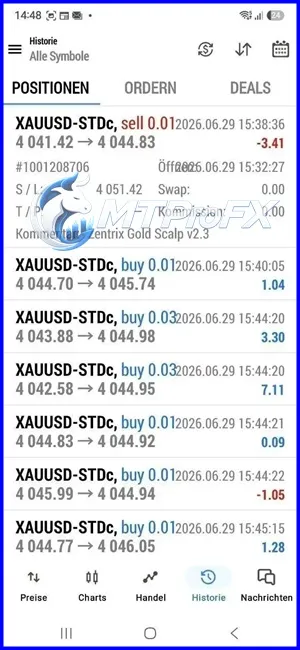
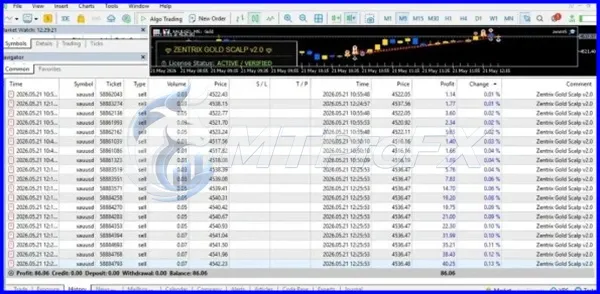
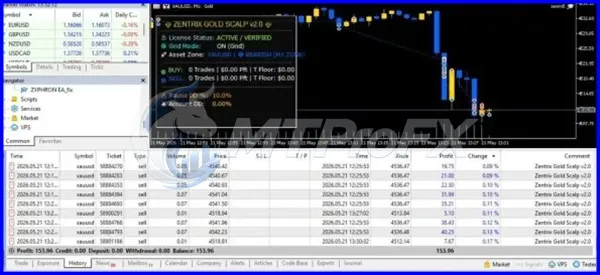
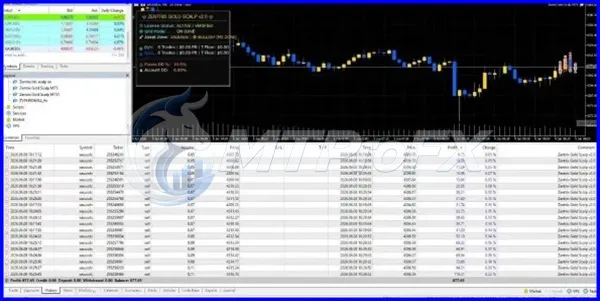
Backtest Results
Get Zentrix Gold Scalp EA MT5 V2.30 FREE (VIP Members Only)
Join a VIP Telegram group to get access. Pick your plan:
Conclusion
☑️ Zentrix Gold Scalp EA MT5 V2.30 is a gold-scalping automation tool worth evaluating if you use MetaTrader 5 and understand the risks of algorithmic trading. The associated Pro product listing describes features such as stop-loss configuration, controlled grid recovery, lot limits, and basket loss-cut protection.
However, a feature list alone does not establish profitability or safety. Confirm the exact version, verify the risk controls, and test the EA under realistic market conditions before risking real money.
Final recommendation: Start with a demo account, use conservative exposure, and only consider live trading after you have sufficient evidence that the EA behaves as expected.
Risk disclaimer: Forex and gold trading involve substantial financial risk. Automated systems can lose some or all of the capital allocated to them. This article is for educational purposes and is not financial advice.
However, a feature list alone does not establish profitability or safety. Confirm the exact version, verify the risk controls, and test the EA under realistic market conditions before risking real money.
Final recommendation: Start with a demo account, use conservative exposure, and only consider live trading after you have sufficient evidence that the EA behaves as expected.
Risk disclaimer: Forex and gold trading involve substantial financial risk. Automated systems can lose some or all of the capital allocated to them. This article is for educational purposes and is not financial advice.
What's Included
File Size
871 KB
File Type
ZIP
Downloads
132
Login to add your review.
ryonthomas@gmail.com
Oct 14, 2026
I'm interested in testing automated gold trading on MT5. I would like to see a longer verified trading history before deciding whether to use this EA with a live account.
It is an automated trading Expert Advisor associated with gold scalping on MetaTrader 5. Verify the exact product version and documentation before installing it.
The associated Pro version is listed as an XAUUSD-focused EA. Confirm the supported symbol in your own version's manual before trading.
The product discussed here is listed for MetaTrader 5. MT4 compatibility should not be assumed unless a separate MT4 version is provided.
The optimal timeframe depends on the EA's design and settings. Follow the official documentation and compare supported timeframes through realistic backtesting.
A verified minimum deposit for the exact V2.30 product has not been established here. The practical amount depends on minimum lot size, margin requirements, leverage, and the EA's exposure during adverse price movements.
No. All automated trading systems can lose money. Past backtest results do not guarantee future performance.
The associated Pro listing describes controlled grid recovery. Confirm that this feature is present in your exact file and understand how additional positions affect exposure.
It is safer to begin with a demo account. Check the installation, trade execution, position sizing, and loss-management behavior before considering live trading.
A VPS can help keep MT5 running when your personal computer is switched off. Whether you need one depends on your trading schedule and hosting setup. A VPS does not guarantee better trading results.
Use realistic Strategy Tester settings, forward-test on a demo account, and examine net profit, maximum drawdown, profit factor, trade count, and performance across different market conditions. Seek independently verifiable results rather than relying on promotional screenshots.